

Private Messaging
Let members send direct messages to each other - one-on-one or in small groups - without leaving your community.
PRO - This feature requires Jetonomy Pro.
What You Will Learn
- How to enable Private Messaging
- How members start conversations and send messages
- How unread counts and notifications work
- How to block users from messaging you
- How to use the REST API for conversations and messages
Why Private Messaging Matters
When members can message each other directly, your community becomes a platform - not just a forum. It reduces off-site communication, keeps relationships within your ecosystem, and gives you a richer, stickier product.
How It Works
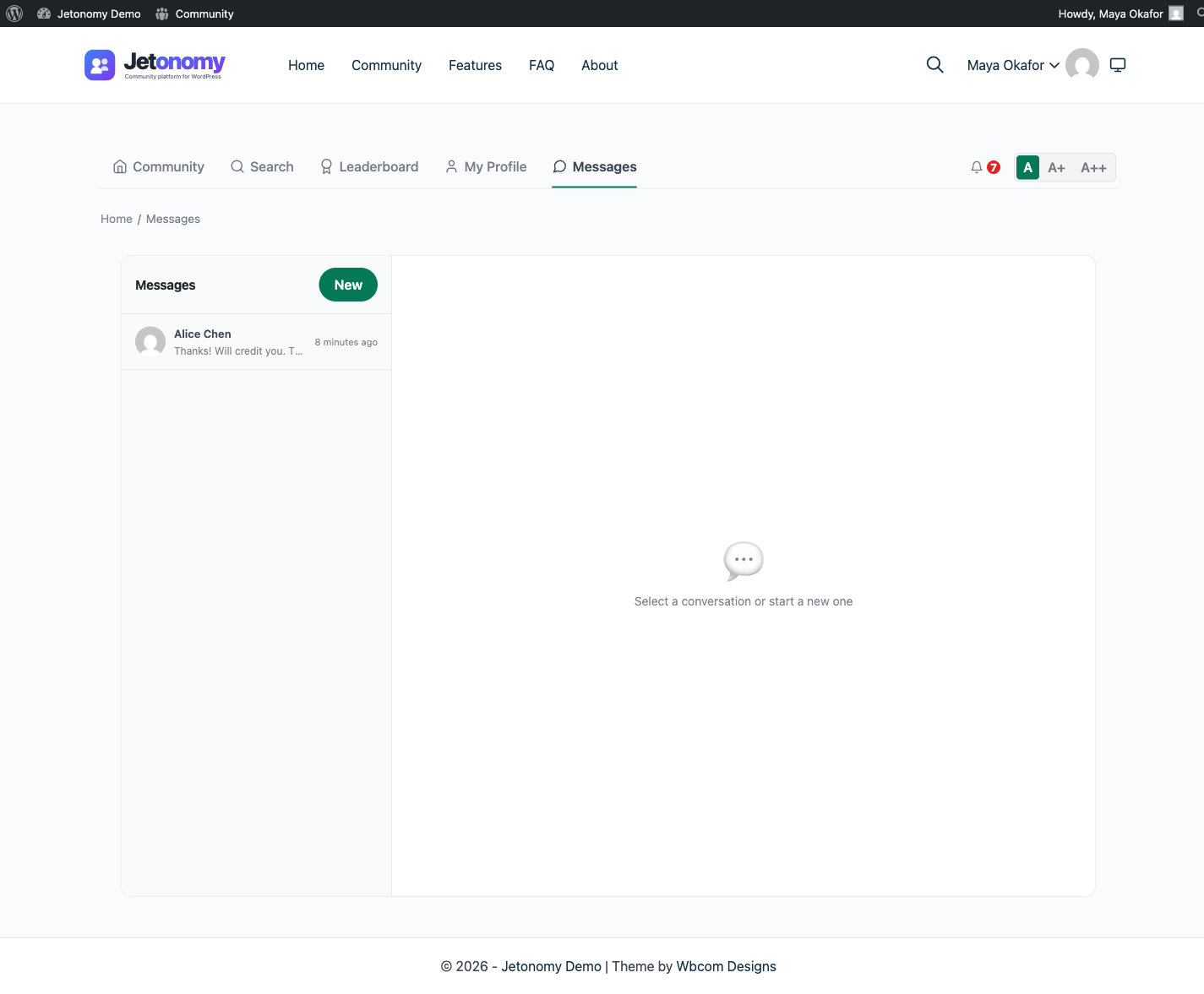
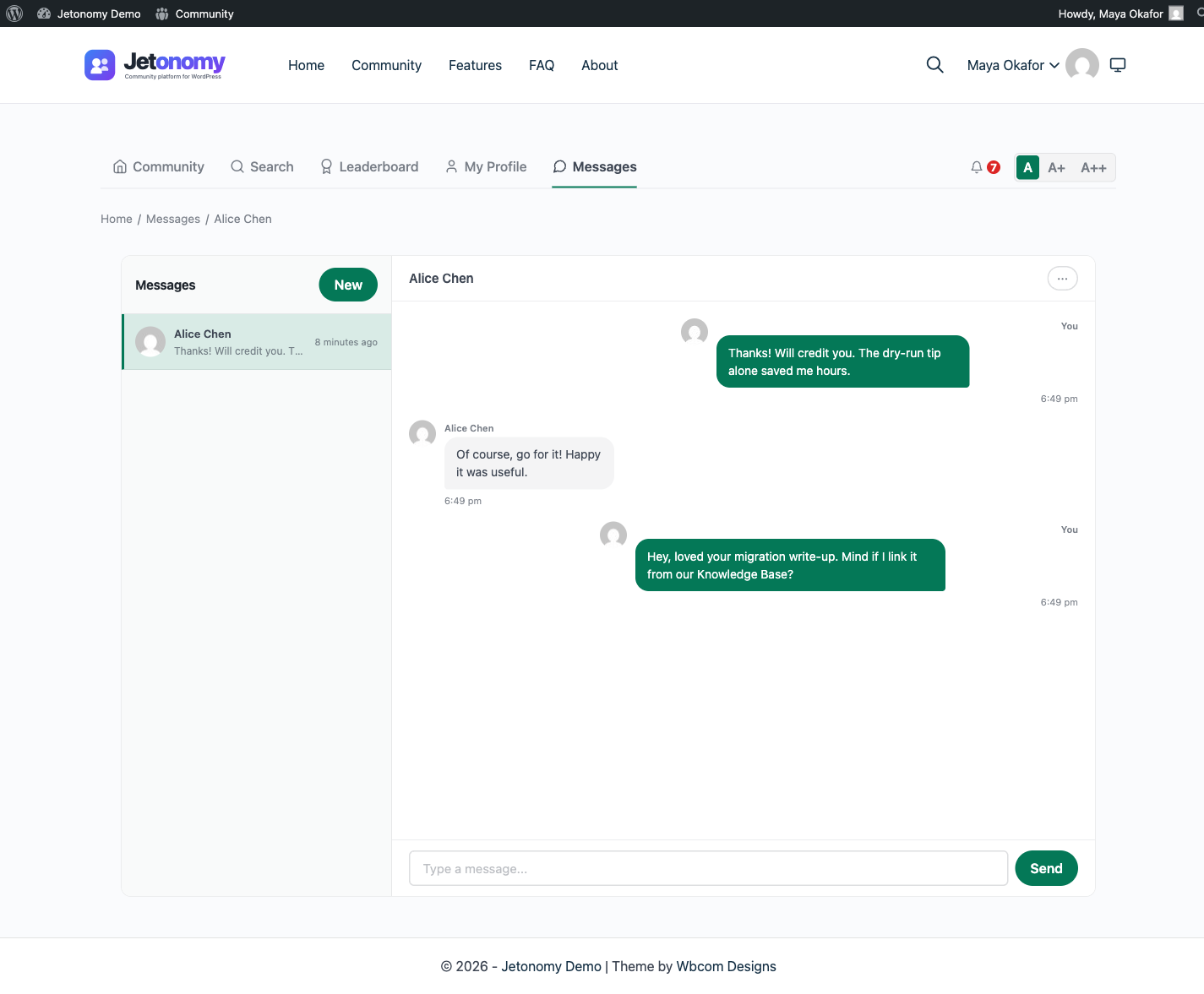
Private Messaging adds a dedicated inbox at /community/messages/. Members can start a new conversation with any other member, or create a group conversation with up to 20 participants. Each conversation is a persistent thread - messages appear in chronological order, and new messages are loaded automatically via polling.
Enabling Private Messaging
- Go to Jetonomy → Extensions in your WordPress admin.
- Find Private Messaging and click Enable.
- A Messages link appears automatically in the community navigation bar.
No additional configuration is required to go live.
Starting a Conversation
Members start a new conversation in two ways:
- Click New Message from the Messages inbox at
/community/messages/. - Click the Message button on any member's profile page.
Both methods open a composer. Members type the recipient's name (autocomplete searches by display name and username), write their first message, and hit Send. The conversation thread opens immediately.
For group conversations, members add multiple recipients before sending. The group conversation shows all participants' avatars at the top of the thread.
Group Conversations
A conversation is either direct (1:1) or a group with multiple participants. Add several recipients in the composer to start a group thread, and every participant sees the same shared history.
Group threads keep a complete record. When a member leaves a group, their past messages stay in place attributed to them with a "left the conversation" note - Jetonomy does not delete the messages, so the thread always reads coherently. Creating a direct message to someone you already have a 1:1 thread with reuses that existing thread instead of starting a duplicate.
Archive, Leave, and Mute
Each of these is a per-member setting - your choice never changes the conversation for the other participants.
- Mute - silences notifications for a conversation while keeping it in your inbox. New messages still arrive; you just are not pinged. Unmute from the same menu.
- Archive - hides a conversation from your main inbox to keep it tidy. Archived conversations stay fully intact and reappear (or can be reopened) when there is new activity; nothing is deleted.
- Leave - removes you from a group conversation. You stop receiving its messages, but the thread and your past messages remain for everyone still in it. Leaving applies to group conversations.
Unread Counts and Notifications
A red badge on the Messages nav icon shows the total number of unread conversations. The count updates every 30 seconds via polling. It drops to zero when a member opens and reads the conversation.
Jetonomy also sends a notification to the recipient's bell icon when a new message arrives. Members who have email notifications enabled for private messages receive an email notification as well.
Tip: Members control their messaging email notifications in Profile → Notification Settings. Admins cannot override individual user preferences.
Blocking Users
Any member can block another from sending them messages:
- Open a conversation with the person.
- Click the ··· menu in the thread header.
- Select Block [username].
Blocked users cannot send new messages to the member who blocked them. Existing conversation history is preserved but no new messages are delivered. The blocked user sees a generic "Unable to send message" error - they are not told they are blocked.
Admins can view and clear blocks in Jetonomy → Users → [username] → Messaging.
Note (1.8.0+): This is separate from the community-wide blocking a member can do from the mobile app or REST API (see Blocking a Member), which hides a member's replies across the whole community rather than just messaging. As of 1.8.0, the two work together: Private Messaging also honors a community-wide block, so you cannot start or continue a conversation with someone you have blocked, or who has blocked you, even outside this menu.
REST API
Private Messaging adds endpoints under jetonomy/v1:
| Method | Endpoint | Description |
|---|---|---|
GET |
/conversations |
List your conversations (paginated, filterable) |
POST |
/conversations |
Start a new direct or group conversation |
GET |
/conversations/{id} |
Get conversation details and participant list |
PATCH |
/conversations/{id} |
Update your settings on the conversation (mute) |
GET |
/conversations/{id}/messages |
List messages (cursor-based pagination) |
POST |
/conversations/{id}/messages |
Send a message |
GET |
/conversations/unread-count |
Your total unread conversation count (30s cache) |
POST |
/conversations/{id}/mute |
Mute or unmute the conversation for you |
POST |
/conversations/{id}/archive |
Archive or unarchive the conversation for you |
POST |
/conversations/{id}/leave |
Leave a group conversation |
POST |
/conversations/{id}/block |
Block or unblock the other participant (direct only) |
All endpoints require authentication, and member operations on a conversation require you to be a participant. Starting a conversation and sending messages require Trust Level 1 or higher (admins and moderators bypass this). See the REST API reference for full payloads.
Example - start a conversation:
POST /wp-json/jetonomy/v1/conversations
{
  "recipients": [45, 67],
  "message": "Hey, wanted to follow up on your question about onboarding."
}
Example - get messages with cursor pagination:
GET /wp-json/jetonomy/v1/conversations/12/messages?after=msg_abc123&per_page=20
Site-Owner Oversight (Conversations Admin Page)
New in 1.5.0. Site administrators get a dedicated Jetonomy → Conversations page in the WordPress admin sidebar for messaging oversight - useful for abuse investigations, GDPR requests, and verifying that messaging is healthy on a large community. The page is visible to administrators only (it requires the manage_options capability).
- Conversations list - every conversation with its ID, type (direct or group), participants, message count, and last activity, most recently active first and paginated at 50 per page so it stays fast even with tens of thousands of threads.
- Thread detail - click any conversation to read its full message history. Messages are shown newest first, paginated at 50 per page, each with the sender's display name (shown as "Deleted user" if the account no longer exists), a plain-text excerpt of the message (up to 300 characters), and the sent timestamp.
- Purge - permanently delete a conversation and all of its messages and read-state rows. The button asks for confirmation ("Permanently delete this conversation for all participants?"); on confirm the conversation is removed, you return to the list with a "Conversation purged" notice, and the deletion fires the
jetonomy_pro_conversation_purgedaction so audit tooling can record it.
Purging is irreversible and bypasses the participants' own archive/leave state - reserve it for moderation and compliance situations. It does not notify participants, does not touch their accounts or trust levels, and does not remove any posts or replies they made in public spaces.
Privacy: Site owners can read members' private conversations from this page. State this in your site's privacy policy so members understand your platform's moderation and compliance position.
What's Next?
Add polls to any topic to gather community input and drive decisions.