

What bbPress is
bbPress is a free forum plugin for WordPress. Install it and your site gains forums, topics and replies, managed from the same dashboard as your pages and posts. Members are ordinary WordPress users.
It does one job. Profiles, groups and activity feeds belong to BuddyPress, which is a separate plugin that pairs with it. If you are unsure which of the two you need, BuddyPress vs bbPress walks through the difference. If wpForo is the other option on your list, bbPress vs wpForo compares the two directly.
bbPress vs BuddyPress: two jobs, not two rivals
People often search for bbPress next to BuddyPress, but they do different jobs. BuddyPress gives a WordPress site member profiles, groups and an activity stream. bbPress gives it a threaded forum. Many sites ran both. Jetonomy replaces the forum half, and it can sit beside BuddyPress groups. The full comparison is in bbPress vs BuddyPress, which also covers when a site needs neither.
The real difference: modern storage and UX, with your data intact
bbPress earned its place. For years it was the obvious way to add a forum to WordPress, it is free, and it is about as lightweight as a forum plugin gets. None of that is in dispute.
The problem is time. bbPress is mature and slow-moving: it still gets maintenance updates, but new feature work is rare, and its interface looks every bit its age. More importantly, it stores every topic and reply in wp_posts, the same table that holds your pages, posts, and every other content type. On a small forum that is invisible. On an active one it means a table that swells into the hundreds of thousands of rows, dragging query performance across the whole site, not just the forum.
Jetonomy is a current, actively developed forum that fixes both problems at once. It stores discussions in 23 dedicated jt_* tables, so your wp_posts stays lean and your site stays fast. And it ships a one-click importer that lifts your bbPress data across cleanly, so the upgrade does not mean abandoning years of content.
What you keep, and what you gain
You keep everything that mattered: your topics, your replies, your attachments, and your timestamps, all carried across by the importer and linked to the members who wrote them. Map old URLs with a redirect plugin so your existing links and search ranking survive the move. Members are WordPress users, exactly as they were under bbPress, so nobody has to register again.
What you gain is a forum that feels like it belongs in 2026. A clean, mobile-first reading experience that inherits your theme through CSS variables. Threaded replies and voting. Full-text search. Trust levels from 0 to 5 and a front-end moderation queue so the community can help police itself. And 80+ REST routes in Free, with about 60 more in Pro, if you want to build on top of it, where bbPress offers only limited API surface.
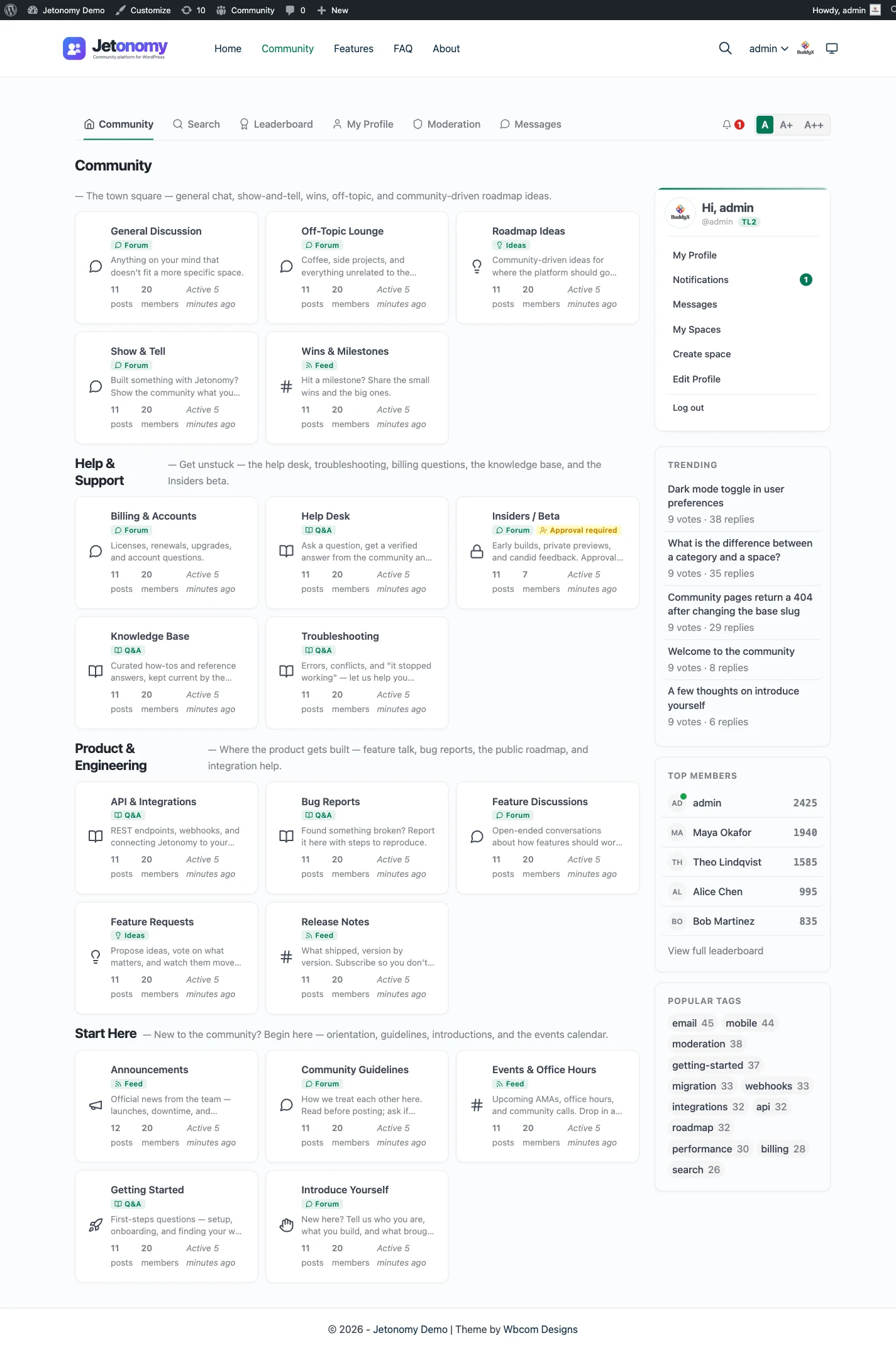
You also gain room to grow beyond a plain forum: a Q&A space with accepted answers, an ideas board with a roadmap, and Show & Tell, a short-form feed, all from the same plugin.
A fair word on staying put
Switching is not always the right call, and it is worth saying so plainly.
If your forum is small, quiet, and unlikely to grow, bbPress is hard to beat on sheer simplicity and footprint. If your whole site is built around BuddyPress and you lean on the tight bbPress integration, that coupling has real value you would be trading away. In those cases, dated UX may be a fair price for staying lightweight and familiar.
But if your community is active or growing, the math changes. The wp_posts bloat and the aging interface compound over time. Because the migration is one click and keeps your data, and a redirect plugin keeps your old URLs working, moving to Jetonomy is about as low-risk as a forum migration gets. You modernize the experience and protect your site’s performance without losing what you have built.
What it costs to run each
Both plugins run on the WordPress hosting you already pay for, so neither adds a server. bbPress is about as light as a forum gets, and for a small community the running cost is close to nothing. Check wordpress.org for its current status and add-ons.
The cost with bbPress is not money, it is where the data goes. Every topic and reply is a row in the same table as your pages, so a big forum slows queries for the rest of the site, and exports or clean-ups touch everything at once. Jetonomy keeps its data in its own indexed tables inside your WordPress database, and it uses Redis or Memcached when your host has one.
The Jetonomy core plugin is free, and Pro starts at $69 a year for one site. The pricing page lists what each tier includes. If a Pro licence lapses, Pro extensions switch off after 30 days, while the free plugin and all your data keep working.
Moving over, step by step
The importer is the strongest part of this move, so it deserves a plain description. It is built in, it is one of three (bbPress, wpForo and Asgaros Forum), and the bbPress one is the only one with a dry run, while all three skip what an earlier run already brought over. The migration and import page shows it, and the bbPress migration journey follows a full move.
What comes across
- Each bbPress forum becomes a Jetonomy space.
- Topics and replies, with their authors and original timestamps.
- Attachments.
- The forum hierarchy.
What you handle yourself
- Redirects from old addresses, which the importer does not create.
- Tags, subscriptions and reputation, which are not imported.
- Add-on features that only existed for bbPress.
A safe order of work
- Back up the database and clone the site to staging.
- Run the dry run and read what it reports.
- Import for real on staging and check a sample of threads.
- Set up redirects, then repeat on the live site.
The migration guide covers the same steps with more detail.
Import or merge bbPress data
Jetonomy can import an existing bbPress forum with a built-in importer, so you do not retype a thread. Run the dry run first to see what would come across, then import, and run it again on launch day to catch up on anything posted since. The bbPress migration journey follows a full move from start to finish.
What the bbPress importer does with each kind of content
The importer reads bbPress where it already lives, in your WordPress posts table, and writes the result into Jetonomy’s own tables. It works in batches, so a forum with many thousands of replies does not have to finish inside one page load. Here is how the main kinds of content are treated.
- A forum becomes a space, and a bbPress forum nested under another keeps that parent. A forum that only groups other forums becomes a category instead.
- Closed topics come across and stay closed, so the thread is still readable but takes no new replies.
- Sticky topics stay sticky. A bbPress super sticky has no site-wide equivalent here, so it becomes sticky in its own space.
- Threaded replies keep their threading, so a reply to a reply still sits under the right parent.
- Attachments are linked to the imported topic or reply. The files stay in your media library, so nothing is copied twice.
Privacy needs a closer look, because the two products do not use the word the same way. In bbPress, a private forum can be read by any logged-in member. In Jetonomy, a private space can be read only by its members. So private and hidden forums keep their privacy, and everyone who posted in them is added as a member so they do not lose access on migration day. New members of those spaces need approving.
If you run BuddyPress group forums, the importer links the group to the imported space and adds the group’s members. Each author also gets a Jetonomy profile, and the counts on topics and spaces are recalculated at the end. Developers can change which bbPress statuses are imported, or the visibility given to each space, with filters.
Dry run, then a re-run that only adds what is missing
The dry run is a WP-CLI option, so it needs shell access to the site. Running the import command for bbPress with the dry-run flag walks the whole forum and reports what it would bring across, without writing anything. Read the numbers against what bbPress shows you: forums, topics and replies should add up, and anything left out should come with a reason. A reply is skipped, for instance, when its topic was not imported.
The real import can be started from the Import screen in wp-admin or from the command line. The screen shows plain-language notes before you start, such as how many closed topics will stay closed and how many private forums will keep their privacy. It also tells you if this source has been imported before.
Running it again is safe. The importer remembers each bbPress item by its original ID, so a second run recognises what is already there and adds only what is new, such as topics posted since the first pass. That matters for a live forum: you can import on staging, test for a week, then run it once more on launch day to catch up. If a run is interrupted, the screen offers to resume it where it stopped, or to start over.
What Jetonomy does not do for a bbPress site
A fair move starts with the gaps. Knowing them in advance is cheaper than finding them after launch.
- No redirects. Every old forum, topic and reply address needs mapping with a redirect plugin or at the server.
- No tags, subscriptions or reputation come across. Members start with fresh notification choices and fresh reputation.
- bbPress shortcodes, widgets and theme template overrides do not apply. Jetonomy has its own blocks, shortcodes and widgets, and its templates are overridden from a jetonomy folder in your theme.
- There is no live chat, voice or video, and no built-in bridge to Discord or Slack.
- Search is MySQL full-text, not a separate search service.
None of these stops a move for most forums. The two that deserve a decision before launch are redirects, because they protect your search traffic, and notification settings, because members will notice quiet inboxes.
Your data, your database
Jetonomy keeps topics, replies, votes and profiles in tables inside your own WordPress database. Discussions are not moved to a hosted service, and members are ordinary WordPress users. If you stop using the plugin, the rows are still yours to export with SQL or to read over the REST API.
For privacy requests, Jetonomy plugs into the export and erase tools that WordPress core already provides, so a personal data request is handled from the same screen as the rest of your site. Members can also delete their own account and data from their profile. A developer can pull the whole community over REST or with the WP-CLI commands if you need a custom export.
A first thirty days after the move
Treat the first month as a staged launch rather than a switch you flip once.
- Import on a staging copy, read the dry run, then do the real run and check a sample of threads in every space.
- Set up redirects for old bbPress addresses and test a dozen of the most linked topics.
- Choose the space type each community area really needs. Support-style forums often work better as Q&A spaces, which the forum, Q&A and ideas guide explains.
- Back up, then run the import on the live site and run it once more just before you switch traffic over.
- Tell members what changed, and watch the moderation queue closely for the first week.
- After a month, look at which spaces are busy and tidy the structure. The weekly moderation workflow shows a routine that keeps the queue short.
The Jetonomy family on one WordPress site
Jetonomy is one of several separate, optional plugins from the same team. They share one WordPress site and one login, and each is installed, hosted and updated on its own. A hosted product bundles the same things into one bill; here they are pieces you manage.
BuddyNext is the social layer: profiles, an activity feed and groups. It is the natural step for a site that leaned on BuddyPress with bbPress. With both active, the forum adopts BuddyNext’s look and BuddyNext owns the page header and navigation, with nothing to configure. BuddyNext owns messaging there, so do not plan on Jetonomy messaging. See the BuddyNext partner page.
Learnomy is the LMS plugin. With Jetonomy Pro, a space can be gated by a Learnomy course or membership plan. Enrolling adds the member, expiry removes them, and their posts stay. See the Learnomy partner page.
The team also makes WP Career Board for a job board, Listora for a directory, Eventonomy for events with RSVP and capacity, WPMediaVerse for member media and WB Gamification for points and badges. They run on the same site as separate plugins, each set up on its own. BuddyX Pro and Reign are themes from the same team, and Jetonomy adopts the active theme’s brand colour.
None of these is required. Each works on its own, and you add one only when a job calls for it. The cost of that freedom is housekeeping: you install, host and update each plugin yourself, where a hosted platform would put it all behind one subscription and one support desk.
Other alternatives worth a look
- wpForo wins if you want a heavily configurable classic forum with many add-ons, still inside WordPress.
- Asgaros Forum wins if you want another simple, free forum that lives in WordPress.
- phpBB wins when you want a standalone board with its own extensions and no tie to WordPress.
- XenForo wins for a large, forum-first community that will pay for a mature standalone product.
- Discourse wins if the forum is your whole product and you have the hosting for it.
- Staying with bbPress wins for a small forum that works and a site built around BuddyPress.
Who should stay with bbPress
The earlier section made the main case. In short, stay if:
- Your forum is small, quiet and likely to stay that way.
- Your site is built around BuddyPress and its bbPress coupling.
- You depend on a bbPress add-on that has no equivalent elsewhere.
- Nobody has complained about the look, the speed or the lack of marked answers.
Move when members start asking questions you wish had a marked answer, when the posts table grows faster than the rest of the site, or when a developer needs an API. The features overview is the place to start.