


The real difference: own it or rent it
Circle is a well-made product. The question is not whether it is good software, it is whether you want your community to live on someone else’s platform.
A Circle community runs on Circle’s servers, under Circle’s pricing, behind a login your members create just for Circle. That buys you a lot of convenience: nothing to host, nothing to secure, nothing to update. But it also means the home of your audience is space you rent. The monthly bill depends on the plan you need, and the data, the URLs, and the relationship with your members all live one layer removed from you.
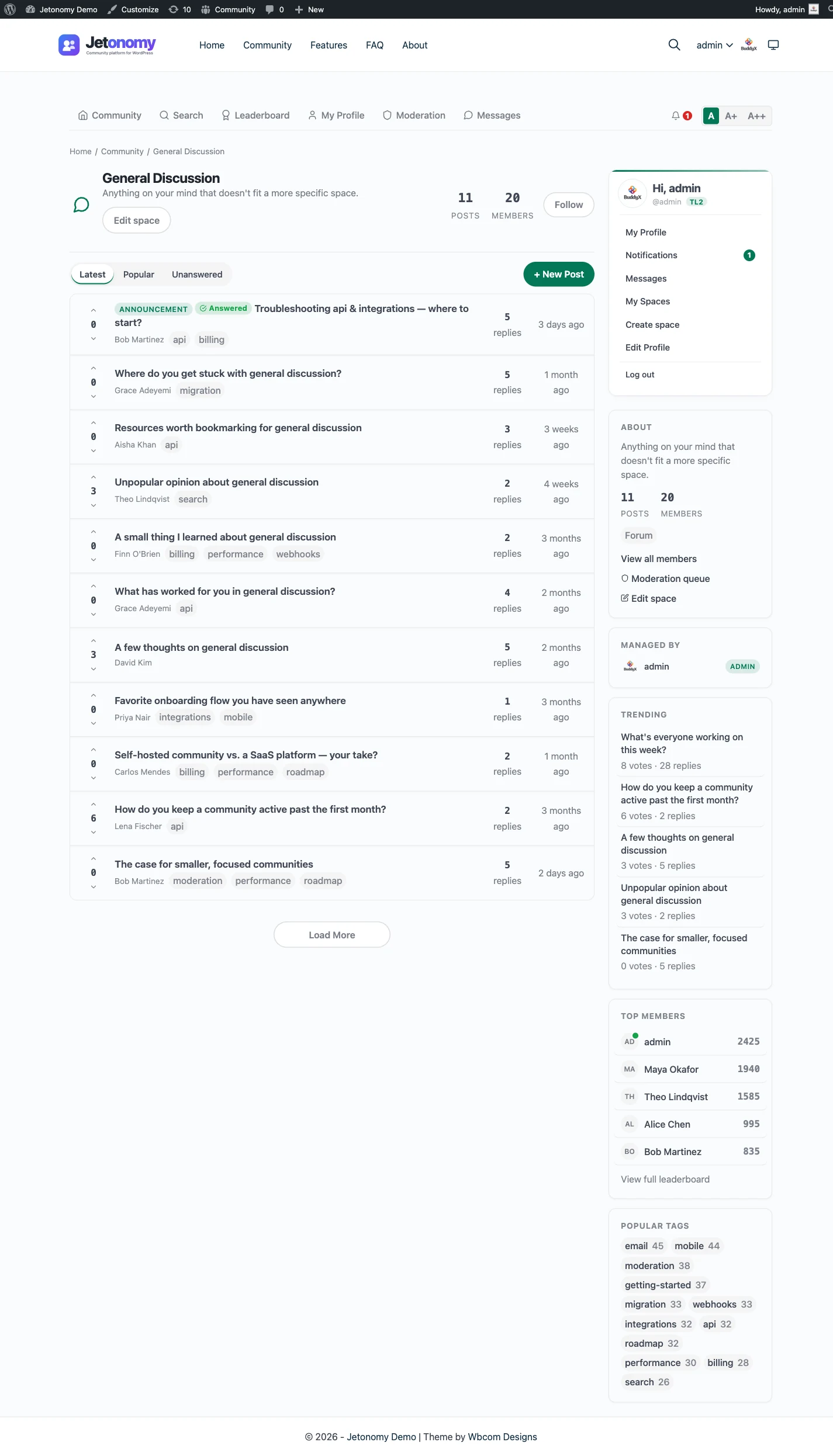
Jetonomy takes the opposite position. The community is a plugin inside the WordPress site you already run. Members are WordPress users in your own database. The content is indexed on your own domain. You pay a flat yearly license rather than a subscription that climbs as you grow. You own the thing you build.
For some teams the rented convenience is exactly right. For teams who treat their community as a long-term asset, ownership wins.
What you trade, honestly
Switching from Circle is a real trade, and it is worth being straight about it.
You give up some turnkey polish. Circle’s onboarding is smooth, its native mobile apps are excellent, and its bundled courses, events, and live streaming are mature and maintained for you. Out of the box, it feels finished.
In return you get a community that lives on your own WordPress, inherits your theme, and costs a flat fee that does not punish growth. You add four space types in one plugin: a forum, a Q&A space with accepted answers, an ideas board with a roadmap, and Show & Tell, a short-form feed. You get full-text search, trust levels from 0 to 5, and a front-end moderation queue. Course integrations come with Pro, while events and live streaming are not part of Jetonomy, so if those are your core product, weigh that carefully.
Want more of Circle’s all-in-one on WordPress?
Jetonomy is the discussion layer. When you also want the rest of what Circle bundles, it comes from plugins by the same team that run on the same site. BuddyNext adds the social layer: an activity feed, member profiles, spaces and direct messages, all in its free version, and Jetonomy works with it out of the box. Courses come from Learnomy and events from Eventonomy. You add each piece when you need it, and your members keep one WordPress account across all of them.
The honest summary: Circle is more all-in-one on day one. Jetonomy is more yours, for less, over years.
Access, paid spaces and members who lapse
If your community is part of a paid offer, access is the part to get right. A space can be public, private or hidden, joined by approval or an invite link, or gated behind a membership plan. The free plugin reads plans from MemberPress and Paid Memberships Pro, and Pro adds more adapters, including WooCommerce and LearnDash.
A visitor who is blocked can be sent to the plan that opens the space, so a locked door leads to a sale. Paying members are placed on the roster of the spaces their plan grants. When a plan lapses, only the rows that plan added are removed, and a member who joined a space directly stays. The posts they wrote stay too.
A fair word on cost and scale
The pricing comparison is not a gimmick, but it is also not absolute. A small community on a low Circle tier may cost very little, and Circle’s bundled features carry real value. Run the numbers for your own size before switching on price alone.
What does not change is the direction of the curve. A SaaS subscription grows with your members. A flat yearly license does not. Jetonomy stores discussions in 23 dedicated database tables, not wp_posts, and in our scalability benchmark a 10,000-topic community loaded in about 150ms with Redis object caching, so the architecture is built to grow with you without the bill growing in lockstep.
If you want a hosted, hands-off, app-first community and the monthly cost fits, Circle is a fine choice. If you want to own your audience on your own domain for a predictable yearly fee, that is exactly what Jetonomy is for.
From install to the first real thread
Owning the community starts with a plugin install, not a sign-up form. The order below is the one most owners follow.
- Install and activate the free plugin from the WordPress admin.
- Run the setup wizard: choose the community address, a default type and either a first space or sample data.
- Create categories, then the spaces inside them, giving each the type that suits it: Forum, Q&A, Ideas or Show & Tell.
- Decide who can read, and set up any plan-based access if you sell memberships. MemberPress and Paid Memberships Pro are covered in the free plugin.
- Add a Community link to your menu and invite your first members.
- Add Pro only when you need messaging, polls, digests or the iOS app.
The guide to building a community on WordPress covers the same path in more depth. If the forum is the main thing you are building, how to make a forum website goes from an empty site to the first members.
What it costs you to run each
Circle charges a recurring subscription, and the vendor does the hosting, security and updates. Check the vendor’s site for what each plan includes, since plans and limits change.
Jetonomy costs a WordPress host plus your time. The core plugin is free, and Pro starts at $69 a year for one site, with tiers that differ only by site count. See pricing for the details.
The hidden cost is skill. Someone has to keep WordPress and the plugins updated, take backups and watch the moderation queue. If you already run a site, that is a small addition. If you do not, it is the real price of owning the thing, and you should count it honestly.
What owning it means in practice
Ownership sounds abstract until something goes wrong or something changes. Here is where it shows up.
The address is yours. Threads sit on your domain, so links you share today still work if you change anything else about the stack. Members are ordinary WordPress users in your database, so your list is not held on a platform you cannot export from. You decide what backups exist, how long they are kept and who can read them.
You also choose when to update. Nothing changes under you on a vendor’s schedule, though that cuts both ways, since a missed update is your job to catch. Switching host is a move of the whole site, and the community goes with it.
If a Pro licence lapses, the Pro extensions switch off after 30 days, while the free plugin and all your data keep running. Privacy requests go through the WordPress export and erase tools you may already use.
Moving over: what transfers and what does not
No importer exists for Circle. The built-in importers cover bbPress, wpForo and Asgaros, and nothing else. Moving is a manual rebuild, or a custom script that a developer writes against the REST API or WP-CLI. It can be done, but it is not built in.
What carries over in practice
- Your member list, as people who create or receive WordPress accounts.
- Your topic structure, rebuilt as spaces and categories.
- Your best discussions, re-posted in the right space type.
What does not
- Post history, unless you pay for a script.
- Courses, events and live sessions, which belong in other tools.
- Native app installs. Members use the website, or the iOS app that needs Pro. See the mobile app page.
The migration guide explains the importers that do exist.
A normal week as the owner
The routine is lighter than most people expect. Clear the moderation queue, answer or assign anything unanswered, and glance at what is trending. Members who need help with their account use the same login they use everywhere else on your site, so account questions land in the support channel you already have.
Updates arrive through the WordPress dashboard like any other plugin. Test them on a staging copy when you can, because the community shares a site with the rest of your business. The discussions sit in your own database, so your usual site backup covers the forum as well, and there is no separate export to schedule or remember.
Once a week or so, apply updates and check that backups ran. Once a month, look at the numbers and decide whether a space should be split, merged or retired. With Pro, analytics shows what is being read, and site announcements lets you post a notice to everyone without a separate email tool.
What you do not do is pay a bill that tracks your member count. What you do take on is the time, and it should be counted at your own rate.
One site, several optional plugins
A hosted platform bundles everything into one bill. The self-hosted version is a set of separate plugins from the same team, on one WordPress site and one login. Each is optional. You install, host and update each one yourself, and that is the honest trade.
Jetonomy is the forum and Q&A plugin. BuddyNext is the social layer, with profiles, an activity feed and groups. With both active, the forum adopts BuddyNext’s look and BuddyNext owns the page header and navigation, with nothing to configure. See the BuddyNext partner page.
Learnomy is the course plugin, the nearest match to Circle’s courses. With Jetonomy Pro, a space can be gated by a Learnomy course or membership plan. Enrolling adds the member, expiry removes them and their posts stay. See the Learnomy partner page.
The same team also makes WP Career Board for jobs, Listora for directories, Eventonomy for events with RSVP and capacity, WPMediaVerse for member media and WB Gamification for points and badges. Each runs on the same site as its own plugin, set up separately from the forum. The themes BuddyX Pro and Reign come from the same team too. The partners page lists the integrations that do exist.
Circle alternatives at a glance
Circle is one of several ways to run a paid or free community, and the right alternative depends on what you are replacing. Here are seven, in the order most Circle buyers end up considering them. Each line says where that option wins, using what the vendors say about themselves and what we know of our own product.
- Jetonomy is the one you own. It is a forum, Q&A and ideas plugin for the WordPress site you already run, with members as WordPress users in your own database. It wins when the discussion should be found, answered and kept on your domain. It does not stream live video, host courses or run events, and Pro adds a native iOS app, not a full app suite.
- Mighty Networks is another hosted bundle with courses and native apps. It wins if a mobile app is central to how your members show up.
- Skool pairs a community with a classroom and points. It wins for a simple, course-led group that wants to launch fast.
- Discourse is a dedicated self-hosted forum app. It wins if you do not use WordPress and want forum software on its own server.
- Discord is built for live voice and chat. It wins for real-time talk, and many communities keep it beside a forum that holds the answers.
- Facebook Groups cost nothing to start. They win where your members already spend their day, at the price of someone else’s rules and reach.
- bbPress is the older WordPress forum plugin. It wins if you only need plain threads and nothing else.
How to read the list: the first and the last two share one idea, a community that lives on WordPress or your own domain. The middle four are separate platforms, hosted or self-hosted, with their own logins. If you already run WordPress and your members come to read and answer questions, start with the first. If you sell courses and want one vendor for everything, a hosted bundle may serve you better, and the “who should stay with Circle” section below says so plainly.
To move without losing what you have built, read the migration guide and compare plans on the pricing page.
What Jetonomy does not include for a Circle buyer
Circle bundles a lot, and a plain list of what is missing saves you a bad surprise.
- It does not stream live video or host live events.
- It does not include courses. Course-style learning comes from the separate Learnomy plugin.
- It does not run events, though Eventonomy is a separate plugin that does.
- It does not provide hosting, a support team for your members or an app published under your own name.
- It does not take payments itself; paid access is read from your membership plugin.
If several of those are central to what you sell, a bundle may serve you better. The membership and monetization page shows how far paid access goes.
Keeping members coming back without a native app
A hosted app gives members an icon on the home screen. A community on your site has to earn the visit another way. Members get a bell and email for replies, mentions and accepted answers, and each person chooses what they receive.
Pro adds an email digest, web push and reply by email, plus a native iOS app. That is a real set of ways back in, but it is not the same as a polished app on every device, and you should judge it with your own members before you promise them one.
Who should stay with Circle
Stay if you have no WordPress site and no wish to run one. Stay if courses, events and live streams are the heart of what you sell, and you want one vendor to answer for all of them. Stay if native apps matter more to your members than owning the data.
Move, or run the two side by side, when the discussion itself is the asset: questions that should be found, answers that should be marked and a record that belongs to you. The WordPress forum plugin page shows what that looks like in practice.