

Chat and a forum do different jobs
Discord is a real-time room. Someone asks a question, three people answer in the next minute, and the conversation moves on. That speed is the whole point, and it suits communities that want to talk rather than archive.
A forum works the other way round. Each question is its own page with its own title. Replies stack beneath it, and the useful one can be marked as the answer. Six months later a stranger with the same problem can find that page, read it and leave without asking anyone.
Neither is the better tool in general. They are good at different things, so the useful question is which of your conversations need to be found again.
Where Discord is the right call
If your group is mostly social, Discord is hard to beat. Voice channels, quick reactions and a sense that people are around are things a forum doesn’t try to copy. It costs nothing to start and members probably have the app open already.
It also works as a support room when the questions are short and urgent. The trouble starts when the same question is asked every week. In a fast channel, the answer from March is a long scroll away, and a newcomer can’t tell which message in a long stretch of replies was the one that fixed it.
Where a forum earns its place
A forum fits the content that should still be useful a year from now: how-to questions, troubleshooting, decisions and the reasoning behind them, feature requests. Jetonomy gives you four space types for this: Forum, Q&A, Ideas and Show & Tell, which is the feed-style space. Pick the type per space, and the behaviour follows. Accepting an answer, for instance, is a Q&A-space feature only.
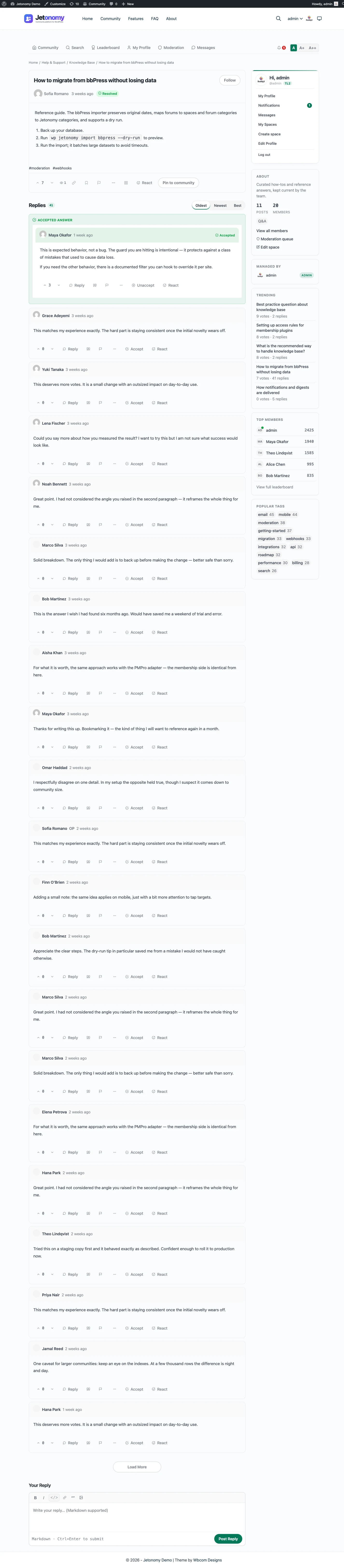
In a Q&A space the person who asked can mark a reply as the answer, and so can a moderator. Once a question is marked, it reads as solved. The Q&A and accepted answers page walks through the flow, and the guide to forum, Q&A and ideas spaces helps you decide which type each topic needs.
Search is part of the free plugin and runs on your own database, so a member can look for an old thread without leaving the site. Mentions work as you’d expect: write @name and that person is linked and notified.
What this means for search engines
Public threads are pages on your domain. In a public space, a guest can open them, and the Free plugin writes structured data for them: QAPage for a Q&A thread (with the accepted answer included when there is one), and DiscussionForumPosting for ordinary forum threads. Each page also carries sharing metadata for link previews.
None of this guarantees ranking. Search engines decide what to list, and a thin thread won’t get far. But the pages exist, they have a stable address, and an answer that was marked as correct is described as such.
A fresh install defaults to a public community. If you want the opposite, private mode and gated spaces let you close all of it or only parts of it. Each public space also has its own RSS feed with the 20 most recent threads, so people can follow a topic without an account. Private spaces don’t offer one.
Running both without the mess
You don’t have to choose. A common pattern is a chat room for the live conversation and a forum for the record.
When a chat answer turns into something worth keeping, someone starts a thread and drops the link back in the channel. Thread pages carry an oEmbed discovery tag, so a link pasted into a chat app that supports oEmbed can unfurl into a preview. Test it in the app you use, since Jetonomy can only offer the tag, not control how another app reads it.
Jetonomy doesn’t bridge to Discord. If you want new threads posted to a channel, that’s a job for the plugin’s hooks and filters, or for the Pro webhooks extension (off until you enable it), which means a developer or a small piece of custom work, not a setting you can switch on.
What a week looks like with both running
Chat needs people who are present, and a forum needs someone who curates. They are different jobs, and it helps to name an owner for each. On a small team one person can do both, as long as the forum job has a slot in the week.
A simple rhythm works. Once a week, scan chat for questions that were asked and answered, and turn the three best into forum threads. Clear the moderation queue. Check which threads got views and which stayed empty, and adjust what you point people to.
Over time the chat room gets quieter in the right way. People who would have asked the old question find the thread first, and the room is left for the live conversation it is good at.
A short checklist before you add a forum
Before you launch, work out which questions your members ask more than once. Those are your first Q&A threads. Decide who can mark answers, which is the asker and your moderators. Pick one public space for the questions you want found, and one private space if some answers are for paying members only.
Then tell people where things go. A pinned line in chat that says “Questions that need a lasting answer go in the forum” does more than any feature. Check in after a month and see which threads people actually open.
What it costs you to run each
Discord is hosted by its vendor, so you carry no server and no updates. Check the vendor’s site for what the plans include today, since limits and features change.
Jetonomy costs a WordPress host plus your time. The core plugin is free, and Pro starts at $69 a year for one site, with one licence switching on every extension. You also keep WordPress and its plugins updated, take backups and watch the queue. If you run a site already, that is a small addition. See pricing for the tiers.
Data, privacy and what you can tell members
On the forum side, your members’ posts sit in your own database and follow the privacy tools of WordPress. A member can ask for an export, which you fulfil from Tools, then Export Personal Data. An erase request keeps their writing in place without their name, and deletes the personal records around it. Members can also delete their own account.
That gives you something plain to say in your privacy policy, and a place to point when someone asks where their posts live. The settings include a suggested paragraph you can copy. For the chat side, check the vendor’s own terms and tools.
What Jetonomy does not do for a chat crowd
Keep expectations honest before you replace anything.
- It has no live chat, no voice and no video.
- It has no Discord bridge or bot, and no sync of roles between the two.
- It does not turn a chat log into threads for you.
- Private messaging is a Pro extension, and on a BuddyNext site BuddyNext owns messaging instead.
For the live part of your community, chat stays the right tool. See the private messaging page for what Pro messaging covers.
The first thirty days
- Week one: list the ten questions asked most often, and write each as a Q&A thread.
- Week one: pin a link to the forum in your chat, with one line on what belongs there.
- Week two: invite your most helpful chat members first, so early threads have good replies.
- Week three: move one recurring chat answer into a thread each time it comes up, and post the link.
- Week four: look at which threads were opened, retire the ones nobody needs and adjust your spaces.
The Q&A for peer learning journey shows a community built on the same habit.
What moves over, and what doesn’t
Your members don’t need new identities. They’re WordPress users, so one login covers the site and the forum, and a membership plugin can gate spaces the same way it gates the rest of your content. Free includes adapters for MemberPress and Paid Memberships Pro, and the membership and monetization page lists the Pro ones.
What doesn’t move is the chat history. There’s no Discord importer, and a stream of messages doesn’t translate well into questions and answers anyway. Start with the ten questions your members ask most, write them up as Q&A threads, and point people at them from chat.
Moderation carries over in spirit if not in tools. Members can flag a post, and moderators clear a pending queue. Trust levels tighten what a brand-new account can do and loosen it as they build a history. If you’re also weighing a standalone forum app, the Discourse comparison covers that route.
Who handles what across both
Two places mean two sets of rules, and members notice when they clash. Write down which behaviour applies where: chat is for quick talk and the forum is for answers worth keeping. Keep the tone of moderation the same in both, even though the tools differ.
On the forum side, members can flag a post, space moderators work the queue, and a ban or silence is available when someone needs to be stopped. An activity log and revision history show who changed what. Chat moderators keep using the tools they already have, so no one has to learn a second system for a job they already do.
Which questions belong in chat, and which in the forum
A simple test sorts most of them. If the answer is only useful for the next ten minutes, keep it in chat. If someone will want it again next month, it belongs in a thread.
- Quick “is anyone around” or “does this work for you” questions suit chat.
- How-to questions and troubleshooting suit a Q&A space.
- Feature requests suit an Ideas space, where votes and a status keep them in view.
- Announcements and long explanations suit a pinned forum thread, with a link posted in chat.
The guide to forum, Q&A and ideas spaces goes through the same choice for each topic type, and the support forum journey shows it in a working setup.
The wider family on one WordPress site
Jetonomy sits in a family of separate, optional plugins from the same team. They share one WordPress site and one login, and you install only what you want. None is required.
BuddyNext is the social layer, with profiles, an activity feed and groups. With both active, the forum adopts BuddyNext’s look and BuddyNext owns the page header and navigation, with nothing to configure. On such a site BuddyNext also owns messaging, so members get one inbox. Chat-minded communities often want a feed as well, which is where it helps. See the BuddyNext page.
Learnomy is the LMS plugin. With Jetonomy Pro, a space can be gated by a Learnomy course or membership plan. Enrolling adds the member, expiry removes them, and their posts stay. That replaces the manual job of adding and removing people from a private server. See the Learnomy page.
Other pieces run on the same kind of site: WP Career Board for a job board, Listora for a directory, Eventonomy for events with RSVP and capacity, WPMediaVerse for member media and WB Gamification for points and badges. BuddyX Pro and Reign are themes from the same team.
A hosted product bundles all this into one bill. Here they are separate plugins that you install, host and update yourself, in return for owning the lot.
Other alternatives worth a look
Discord is one tool among many for communities. These are the neighbours people compare, and when each one wins:
- Slack suits a workplace-style group where chat is the main activity and members already live in it.
- Facebook Groups wins when your audience is already there and you want zero setup.
- Circle is a hosted community and course platform for people who want it run for them.
- Discourse is the better pick for a large standalone forum with people to run it.
- Skool suits a paid, course-led community that wants a hosted product, with check-the-vendor details on features.
- bbPress is the lightest forum that lives inside WordPress.
Several of those are the right call for a chat-first group. Jetonomy is for the part of your community that has to be found again.