

What Skool is, and who it suits
Skool is a hosted community platform that combines a community feed with a classroom and gamification. Members earn points for taking part, and the course area sits beside the posts. Check the vendor’s site for current features and plans, since they change.
It suits creators who sell a course or a paid group and want to start without setting up a website. The pitch is simplicity, and for that audience it works.
The real difference: a rented feed or a library you own
A feed is built around what is new. A good answer written last week is already one scroll below the fold, and a member who asks the same question tomorrow will not see it.
A forum is built around questions. Each one has a title and a page of its own, and replies stack beneath it. In a Q&A space the asker or a moderator can mark one reply as the answer. That page is still useful a year on, which is the point.
Jetonomy is that second shape, and it lives on your own domain. Skool is a rented space on someone else’s. Neither is wrong, but they build different assets over time.
What a thread library gives you
- Pages that a member, or a search engine, can find by topic.
- Answers that are marked, so nobody reads a long thread to learn how it ended.
- A record that stays in your database if you change platform.
Points and levels, honestly compared
Gamification is one of Skool’s strengths. Jetonomy has its own version, with a different emphasis.
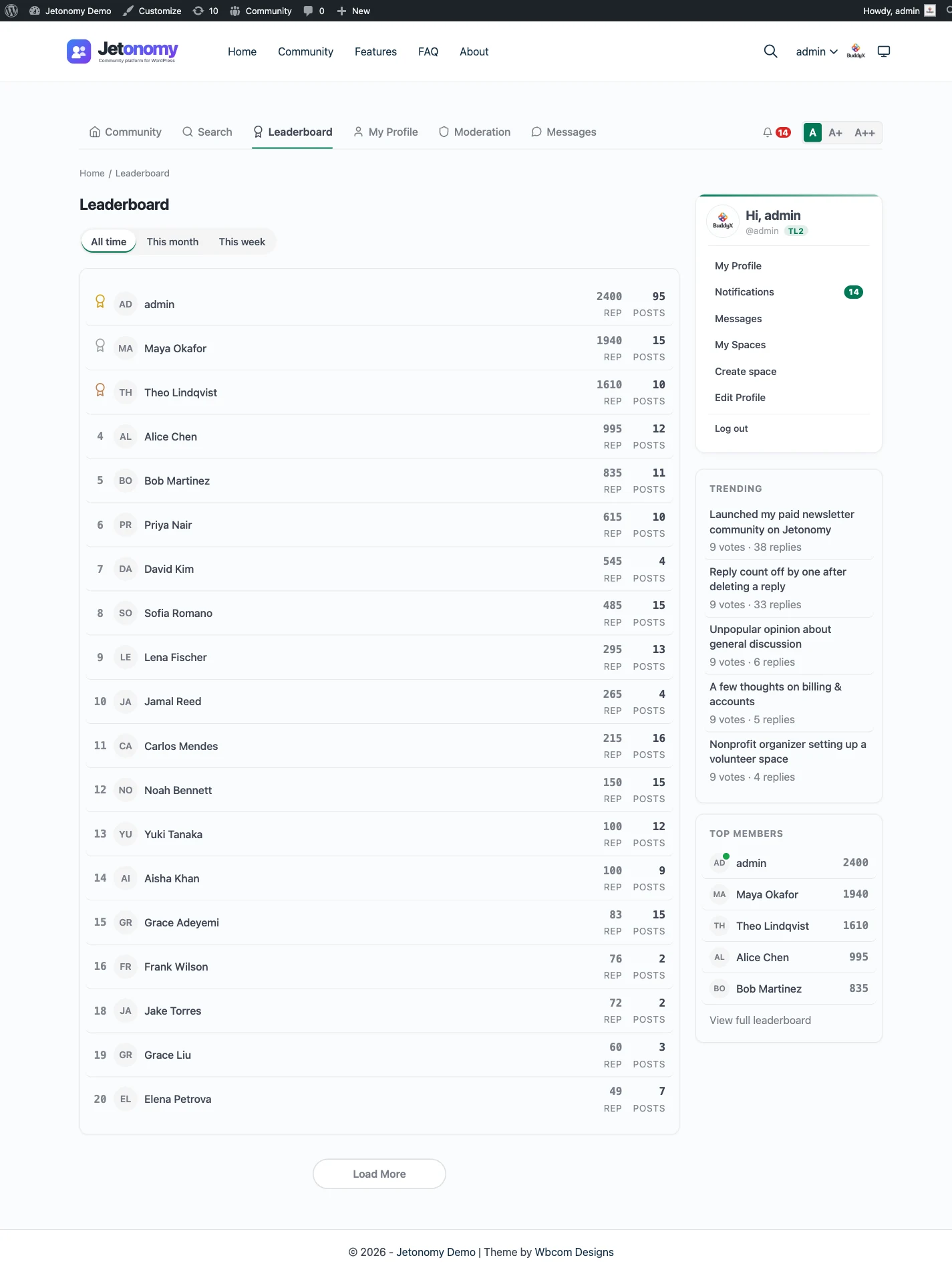
Reputation and a leaderboard are in the free plugin. Trust levels from 0 to 5 act as a ceiling on what a member may do, and levels 1 to 3 are earned from post count, days active and reputation. Levels 4 and 5 are granted by an admin. Custom badges come with Pro.
The aim is to reward people who help, rather than people who simply post. Whether that feels as motivating as a points ladder in a hosted classroom is a fair question to test with your own members.
Moderation sits alongside all this. Members flag posts, and moderators work through a queue, with per-space moderators and ban and silence tools. The trust levels and moderation page explains the controls.
From install to the first real thread
A Skool group starts with a sign-up. A Jetonomy community starts with a plugin on your site, and the steps are short.
- Install and activate the free plugin from the WordPress admin.
- Run the setup wizard: choose the community address and a default type, then make a first space or load sample data.
- Create a Q&A space for help, an Ideas space for requests and a Forum or Show & Tell space for everything else.
- Choose who can read, and gate paid spaces with MemberPress or Paid Memberships Pro.
- Add the Community link to your menu and invite your first members.
- Point members at the leaderboard so early helpers are visible.
The guide to monetizing your community covers paid access in more detail.
What it costs you to run each
Skool is a subscription, and the vendor does the hosting and updates. Check the vendor’s site for what each plan includes.
Jetonomy costs a WordPress host plus your time. The core plugin is free, and Pro starts at $69 a year for one site. Someone has to keep WordPress and the plugins updated and the database backed up. If you already run a site, that is a small addition. If you do not, it is the real price of owning the thing.
Jetonomy keeps its data in dedicated indexed tables and uses Redis or Memcached when your host provides one, so a large community is a hosting question more than a plugin one. See pricing for the tiers.
Keeping people coming back
A feed pulls people back because it shows what is new. A forum has to do that job on purpose, and the tools are there.
Members get a bell and email notifications for replies, mentions, accepted answers and idea status changes, and each person chooses what they receive. With Pro, an email digest summarises what they missed, web push reaches them in the browser and reply by email lets them answer from their inbox.
Be realistic about it. A hosted classroom with a points ladder builds a daily habit with little effort. A forum built around questions earns visits when something useful is waiting, which is a quieter rhythm but a longer one.
Access and paid spaces
If you sell membership, the forum can follow your plans. A space can be public, private or hidden, joined by approval or an invite link, or gated by a membership plan. The free plugin reads plans from MemberPress and Paid Memberships Pro, and Pro adds more adapters, including WooCommerce.
A blocked visitor can be sent to the plan that opens the space. When a plan lapses, only the access it granted is removed, and a member’s posts stay. The membership and monetization page has the details.
Search and being found
Threads in a public space are ordinary pages on your domain. The free plugin writes structured data for them, and a Q&A thread with an accepted answer is described to search engines as a question and its answer. Whether a page is listed is up to the search engine.
That is the biggest practical difference from a feed behind a login. Last year’s good answer can still bring someone in today.
Ideas, where a feed struggles
A feed is a poor place for feature requests. They scroll away, and nobody can tell which are planned. An Ideas space gives each request its own page, lets members vote and shows a status roadmap with lanes for planned, in progress, shipped and declined.
The author is notified when the status changes, so people see that asking led somewhere. If you sell a course or a product, this is a quiet way to show members that their feedback shapes what you build. The ideas and roadmap page shows how it looks.
Show & Tell, the nearest thing to a feed
Show & Tell is a short-form space for status updates, screenshots and quick wins. It gives members somewhere light to post, without turning every help thread into a stream.
That matters for a course community, where members like to share progress. Keep help questions in a Q&A space and wins in a Show & Tell space, and each one stays easy to read. The Show & Tell journey is a working example.
Moving over: what transfers and what does not
No importer exists for Skool. The built-in importers cover bbPress, wpForo and Asgaros, and nothing else. Moving is a manual rebuild, or a custom script that a developer writes against the REST API or WP-CLI. It is possible, but it is not a button.
What to carry across
- Your member list, as people who create or receive WordPress accounts.
- Your best posts, rewritten as threads in the right space type.
- Your community rules, set up as moderation settings and trust levels.
What does not move
- Points and levels, which you would start again with reputation.
- Classroom content, which belongs in a learning plugin.
- Post history, unless you pay for a script.
The migration guide covers the importers that do exist.
Data, privacy and a normal week
Your members’ posts, votes and profiles live in your WordPress database, and a normal backup covers them. Export and erase requests use the tools built into WordPress, and members can delete their own account.
A typical week is short. Clear the moderation queue, answer or assign open questions, thank the members who helped most and check that updates and backups ran. If you run a paid group, review who has joined and who has lapsed; the plan adapters keep access in step with the membership plugin.
Once a month, look at which threads are doing the work. They are usually your best marketing, since a public Q&A thread can be found by search.
The first thirty days
Treat the first month as a pilot with real members.
- Week one: create the spaces and write the first five threads yourself.
- Week one: test sign-in, email and the moderation queue with a second account.
- Week two: invite your most helpful members and ask them to answer first.
- Week three: link to the new threads from your hosted group, one topic at a time.
- Week four: look at which threads were opened and which stayed empty.
- After that: decide what stays on the hosted side and what moves.
Community, courses and points as separate plugins
A hosted bundle is one bill. The self-hosted equivalent is a set of separate plugins from the same team on one WordPress site and one login. Each is optional. You install, host and update each yourself, and that is the trade.
Jetonomy is the forum, Q&A and ideas plugin. Learnomy is the course plugin, the nearest match to a classroom. With Jetonomy Pro, a space can be gated by a Learnomy course or membership plan, and expiry removes the member while their posts stay. See the Learnomy partner page.
BuddyNext is the social layer, with profiles, an activity feed and groups. With both plugins active, the forum adopts BuddyNext’s look and BuddyNext owns the page header and navigation. Details are on the BuddyNext partner page.
WB Gamification adds points and badges, WPMediaVerse handles member media, Eventonomy runs events with RSVP and capacity, Listora is a directory and WP Career Board is a job board. They share the site and the login, and each is set up on its own. The themes BuddyX Pro and Reign come from the same team.
Other alternatives worth a look
- Mighty Networks is another hosted bundle with courses and native apps, and it wins if a mobile app is central.
- Circle is a polished hosted community with events and live features, and it wins on finish.
- Discourse is a self-hosted forum app, and it wins if you want a forum without WordPress.
- Facebook Groups cost nothing to start, and they win where your members already spend their day.
- Slack suits a working group that talks all day, and it wins for fast, informal chat.
- A WordPress learning plugin on its own wins if lessons matter far more than discussion.
What Jetonomy does not include for a Skool buyer
The hosted product bundles a classroom, a feed and points. Here is what is not in Jetonomy.
- It does not include a classroom; courses come from the separate Learnomy plugin.
- Its reputation and levels are not a points-for-posting ladder; they are built to reward useful help.
- It does not host calls or live sessions.
- It has no importer for Skool.
- It does not remove the need to run a site.
If a simple classroom and a game-like feed are exactly what your members want, that is a strong reason to stay.
Your domain, your look
On a hosted platform, every group looks like the platform. Here the community inherits your theme, so a member moving from your home page to the forum sees one site. Jetonomy adopts the theme’s brand colour and a theme can override templates from its own folder.
Spaces can be renamed to fit your vocabulary: Space, Topic, Reply, Member and Category can each become whatever your members already call them. A course community might say Lesson Help instead of Space. It is a small setting with a big effect on how the place feels.
Who should stay with Skool
Stay if the classroom and the points are the product you sell and you have no wish to run a website. Stay if you want one vendor to answer for everything.
Look again if your members mostly ask questions, if you want those answers to be found by search, or if the community is part of a wider WordPress site. You can also run both: keep the hosted classroom and put the searchable record on your own domain. The WordPress forum plugin page shows what that side looks like.