

Theme Compatibility
Jetonomy works with any WordPress theme. Its CSS inherits from your theme's design tokens automatically, so the community looks native - not bolted on.
What You Will Learn
- How Jetonomy adapts its visual style to your active theme
- What zero-config means with BuddyX
- How to override community templates from your theme
- How to control design tokens for fine-grained customization
How Theme Adaptation Works
Jetonomy reads WordPress theme.json values through CSS custom properties. Every --jt-* token in Jetonomy's CSS resolves first to a WordPress preset token (--wp--preset--color--primary, --wp--preset--font-family--body, etc.), with a hardcoded fallback last:
--jt-accent: var(--brand, var(--wp--preset--color--primary, #3B82F6));
--jt-text:   var(--text-1, var(--wp--preset--color--contrast, #1a1a1a));
--jt-font:   var(--font-body, var(--wp--preset--font-family--body, inherit));
--jt-radius: var(--r-md, var(--wp--custom--border-radius, 8px));
If your theme defines these standard WP preset tokens, Jetonomy adopts the theme's colors, typography, and spacing without you writing any CSS.
Best With BuddyX
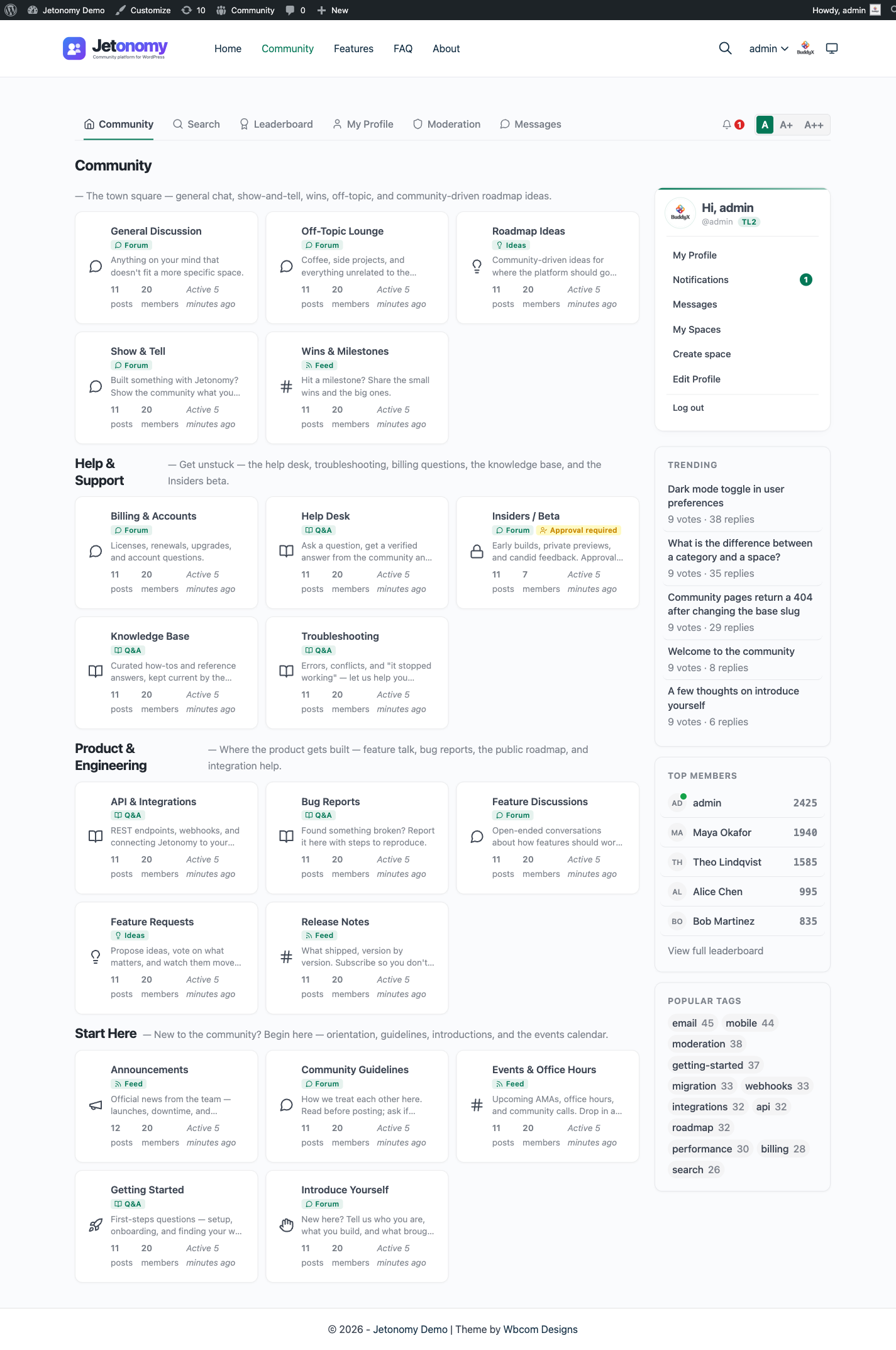
BuddyX is Jetonomy's reference theme. With BuddyX active, Jetonomy requires zero configuration - colors, fonts, border radius, hover states, and dark mode all match the theme perfectly out of the box.
Tip: If you are building a new community site from scratch, start with BuddyX. You can always switch themes later - Jetonomy will adapt.
BuddyX Pro, Reign, and the Theme Bridge (1.3.0+)
Starting in 1.3.0, Jetonomy ships a dedicated bridge for the three Kirki-based themes most of our customers run: BuddyX, BuddyX Pro, and Reign.
What the bridge does
- Reads the theme's Kirki mods on every render (accent color, dark mode state, container width).
- Injects
--jt-accentdirectly so the community picks up the exact color the customer chose in the Customizer - not a hardcoded fallback. - Toggles
.jt-darkon the page<body>viabody_classwhenever the theme is in dark mode, so the community's dark overrides activate automatically without requiring custom CSS. - No configuration screen. If the theme is active, the bridge runs. If you switch to a non-Kirki theme, the bridge silently bows out and the standard
theme.jsonpath takes over.
Where it lives
includes/integrations/class-theme-integration.php - guarded by class_exists( 'Kirki' ) and a per-theme check against the theme template slug.
Why this matters
On BuddyX/BuddyX Pro/Reign, flipping the theme's dark-mode toggle in the Customizer now flips the entire community sidebar, nav, post cards, and reply editor in the same render. No custom-CSS bridge required.
If you build a custom Kirki theme and want to hook into the same bridge, the integration is extensible via the jetonomy_theme_light_tokens and jetonomy_theme_dark_tokens filters. Each receives a map of --jt-* token => hex color (light mode and dark mode respectively) - return your own token maps and Jetonomy will inject them. Return an empty array to disable that mode's override.
Popular Page-Builder Themes (1.5.0+)
Starting in 1.5.0, Jetonomy extends automatic brand-color adoption to four widely-used page-builder themes. When any of these themes is active, the forum picks up its accent in both light and dark mode with no custom CSS required.
| Theme | Brand token adopted |
|---|---|
| Astra | --ast-global-color-0 |
| Kadence | --global-palette1 |
| GeneratePress | --wp--preset--color--accent |
| Blocksy | --theme-palette-color-1 |
Light and dark mode. The adoption works through a CSS var() chain: --jt-accent resolves to the active theme's brand token first. When the theme flips its own token for dark mode, the forum follows automatically - no separate dark-mode override needed.
Our own themes are also covered. BuddyX, BuddyX Pro, and Reign have been supported since 1.3.0 via the Kirki bridge described above. They define their own token names (--bx-color-accent for BuddyX and BuddyX Pro, --reign-colors-theme for Reign) and work the same way with no configuration required.
Themes with no recognizable brand token. Stock block themes that expose numbered palette slugs (such as accent-1 or palette3) are deliberately not auto-adopted - an accidentally adopted low-contrast color is worse than a clean default. For these themes, Jetonomy falls back to its own neutral accent. The site owner can override it under Jetonomy → Settings → Appearance → Color Palette.
For the full technical specification of the var() chain, the complete verified token map, and the checklist for adding a new theme, see docs/standards/host-theme-color-adoption.md in the plugin repo.
Using Other Themes
Jetonomy works with any well-built WordPress theme. Compatibility level depends on how fully the theme uses theme.json:
| Theme Type | Expected Result |
|---|---|
| Modern block theme (theme.json) | Excellent - tokens inherit fully |
| Classic theme with CSS variables | Good - accent and font tokens pick up if variable names match |
| Classic theme without CSS variables | Functional - Jetonomy falls back to its own neutral defaults |
For classic themes, you can override the --jt-accent token in your theme's style.css or via Jetonomy → Settings → Appearance → Custom CSS.
Dark Mode
Jetonomy supports dark mode natively. If your theme sets data-theme="dark" or a .dark class on the <html> or <body> element, Jetonomy's dark overrides activate automatically via the .jt-dark .jt-app CSS selector.
BuddyX and BuddyNext set data-theme="dark" - so dark mode follows automatically. For other themes, add a small bridge if their dark mode uses a different selector:
/* In your theme's style.css - bridge for custom dark mode selector */
.my-theme-dark .jt-app { --jt-bg: #121212; --jt-text: #f0f0f0; }
Template Overrides
Jetonomy's frontend is powered by PHP templates. Every template can be overridden in your theme without touching plugin files.
Create a jetonomy/ folder inside your theme and copy any template file from wp-content/plugins/jetonomy/templates/ into it. Jetonomy's template loader checks the theme directory first.
Override directory structure:
your-theme/
└── jetonomy/
    ├── views/
    │   ├── community-home.php
    │   ├── space.php
    │   ├── single-post.php
    │   └── user-profile.php
    └── partials/
        ├── header.php
        └── reply-card.php
Note: When you override a template, you own it. Future Jetonomy updates will not touch your override. Check the plugin's template changelog after each update to merge any changes manually.
Customizing Design Tokens Without Template Overrides
For small visual adjustments, use the Custom CSS field in Jetonomy → Settings → Appearance. You can re-define any --jt-* token at the .jt-app scope:
.jt-app {
    --jt-accent: #e11d48;
    --jt-radius: 4px;
}
This approach is update-safe and does not require template overrides.
Available --jt-* Tokens
| Category | Tokens |
|---|---|
| Typography | --jt-font, --jt-font-heading, --jt-font-mono |
| Accent | --jt-accent, --jt-accent-hover, --jt-accent-light, --jt-accent-muted |
| Text | --jt-text, --jt-text-secondary, --jt-text-tertiary |
| Background | --jt-bg, --jt-bg-subtle, --jt-bg-muted, --jt-bg-hover |
| Border | --jt-border, --jt-border-strong |
| Semantic | --jt-success, --jt-warn, --jt-danger and their -light variants |
| Radius | --jt-radius, --jt-radius-sm, --jt-radius-lg, --jt-radius-full |
What's Next?
Configure your community's global settings - URL slug, pagination, and access defaults.