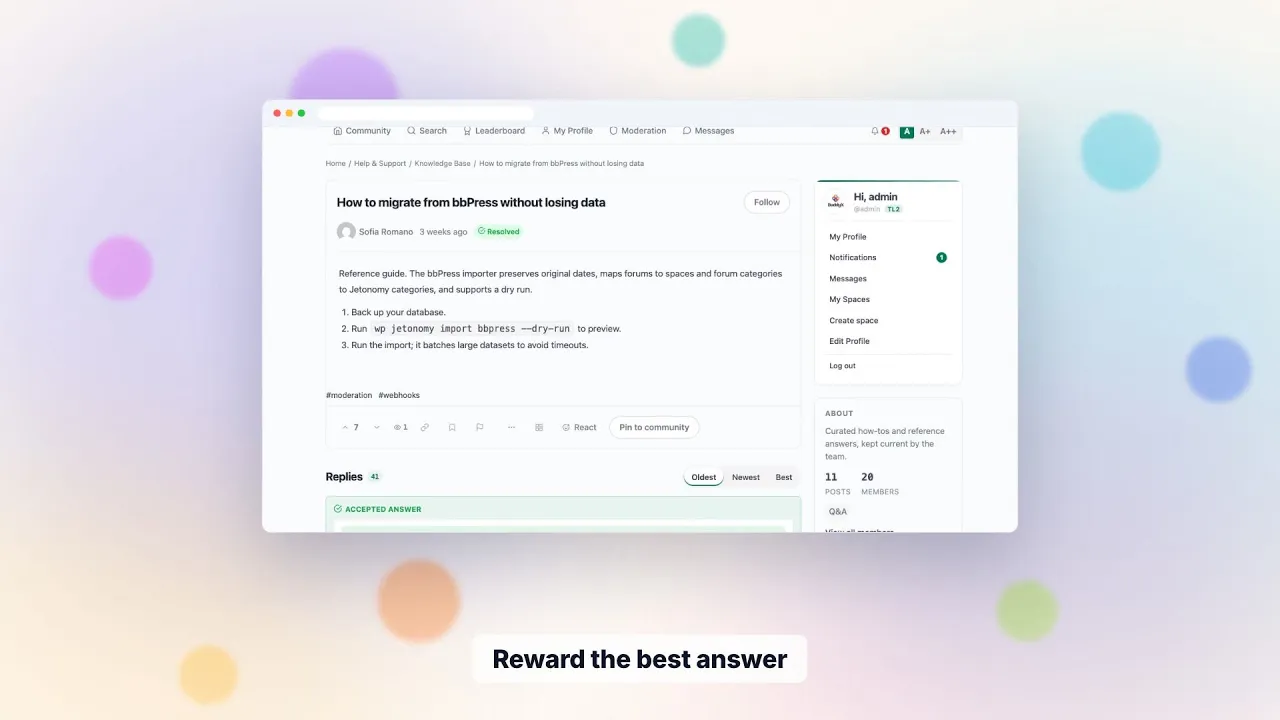
What you’re building
A Twitter-style social feed inside your member-only site. Short-form posts, scrollable timeline, reactions, comments. The space members open every day to see what their community is talking about - even when there’s no major event happening.
This works for: paid memberships (Mastermind, course alumni, professional communities), private creator clubs, internal company communities, niche hobby groups where members want ongoing connection beyond scheduled programming.
The pattern: members need a low-pressure space to drop a thought, ask a quick question, share a win. Forum + Q&A are too formal for “here’s a screenshot of my Monday morning.”
The member journey
What a member does daily, almost without thinking:
- Opens the community at lunch. Lands on the social feed.
- Scrolls 10-15 posts from the last 24 hours. Members sharing wins, asking quick questions, sharing links.
- Reacts to 3-4 posts that resonate. 60 seconds of engagement.
- Comments on one they want to discuss further.
- Posts their own update - a quick thought, a question, a screenshot of something they’re working on.
This is daily-engagement design. The feed becomes a habit. Members open the community even on days when nothing scheduled is happening.
What you set up (admin side)
- Create one Show & Tell space (shown as Feed in the space-type picker). Name it “The Feed”, “Chatter”, “Daily”, “Members Lounge” - something casual.
- Set membership rules. Almost always private - paid members only. The social feed depends on a trusted small group.
- Set the tone of the composer. The editor accepts images for members with upload permission and turns supported links into embeds through WordPress oEmbed. Ask for one or two short paragraphs in your pinned note, since the space type does not enforce a length.
- Post a daily prompt for the first 30 days. “What’s one thing you’re working on this week?” or “Share a win, however small.” Models the behavior; members copy.
- Keep email notifications off. A social feed is high-volume, and email for these events is off until you switch it on, so leave it that way and let members opt in.
- Don’t moderate heavily. This is the chill space. Spam removal only; let conversation flow.
Setting it up, step by step
- Create the space and choose the Show & Tell type, which the admin labels Feed. Give it a casual name.
- Make it private and gate it on your membership plan. MemberPress and Paid Memberships Pro are supported in free.
- Add the roster rules. With a membership gate, paying members are put on the space roster and lapsed members come off it. Posts stay.
- Check the notification defaults in settings so the feed does not email anyone by surprise.
- Write the pinned welcome note with two examples of a good post.
- Seed the first week with your own prompts, then invite members in waves.
Free covers the whole list. Gating on plugins beyond MemberPress and PMPro, such as WooCommerce, Restrict Content Pro, LearnDash or Tutor LMS, is Pro.
A normal week
Daily, post the prompt, answer the first few replies and vote on posts that deserve it. Twice a week, skim for spam or unkind comments. Weekly, pin a thread worth keeping and unpin the old one.
Members subscribe to the space to hear about new posts. Keep that in-app and let the Pro email digest do the catching up for people who prefer an inbox. Check the moderation queue as a habit, not as a chore.
Moderation for a members-only feed
A private feed rarely draws spam, but it can draw heat. The usual problems are sales pitches from members, off-topic arguments, and people sharing private details.
- Members can flag any post, and flags reach a queue.
- Per-space moderators can look after the feed so you do not have to.
- Akismet is wired in. AI-assisted triage and advanced rules are Pro.
- Silence a member to stop posting while a dispute settles, or ban for serious cases.
- Pin your house rules in one short post.
Trust levels are a ceiling on what members can do and do not hand out moderator powers. New members start rate-limited, which slows a flood from one new account.
What to measure
Count posts per week, the share of members who posted at least once in the month, and how many posts get a comment. The leaderboard shows the most active members for all time, the month or the week.
Analytics are Pro: an overview, top spaces, top contributors, engagement and moderation reports, plus a CSV export. Compare the feed’s engagement against your renewal list yourself, because the plugin reports on the community, not on billing.
What Jetonomy does not do here
- It is not live chat. There is no typing indicator, voice or video.
- It does not cross-post to or import from other social networks.
- It does not build friend lists, follows or a site-wide activity stream. A social plugin does that.
- It has no built-in Slack or Discord bridge. Pro webhooks can send events to other tools, with no automatic retries.
- Emoji reactions and message features are Pro.
- It cannot enforce a post length. You set the tone with a pinned note.
What it costs to run
The plugin is free, and Pro starts at $69 a year for one site. Hosting is whatever your membership site already costs, since Jetonomy runs inside the same WordPress install with its own database tables. A feed is the busiest kind of space, so an object cache such as Redis is worth having if your host offers one. Jetonomy uses it automatically when present.
The skills needed are light: installing a plugin, setting a membership gate and reading a moderation queue. A developer is only needed for custom work through the REST API, WP-CLI or hooks.
Privacy and ownership
Everything lives in your own WordPress database, and members are ordinary WordPress users on one login. Private and hidden spaces are not shown to outsiders. GDPR export and erase requests work through the WordPress privacy tools, and members can delete their own account. If you move on one day, the data is already in your database, and the REST API and WP-CLI give a developer a way to pull it out.
When a feed is the wrong tool
If your members mostly want help with specific problems, run a Q&A space instead, so answers are findable. If you mainly need feature requests, use an Ideas space. If you want real-time conversation, use a chat tool beside your site. A feed is for the in-between moments, and it works best when it sits next to one of those, not in place of them.
Start small. One feed with a clear prompt beats three half-empty ones. You can always add a second space later, and the spaces and categories page explains how to group them so members see one tidy community.
Your first 30 days
- Week 1: build the space, gate it, seed prompts and invite a first group.
- Week 2: post a daily prompt and reply to every early post.
- Week 3: invite the rest of the members and start featuring good threads.
- Week 4: read your numbers, drop prompts that did not work and keep those that did.
- Review the notification defaults after hearing from members.
- Decide whether a second feed or Pro is worth it.
Why a feed behaves differently from a forum
A feed and a showcase are the same space type in Jetonomy: Show & Tell, the short-form type. What separates them is not a setting, it is what you name the space and what gets posted in it first. Both differ sharply from a Forum:
| Forum / Q&A | Show & Tell | |
|---|---|---|
| Post length | Long, structured | Short, casual, often image-led |
| Discovery | Search + tags | Scroll-by-recency |
| Engagement | Replies | Votes and comments (reactions with Pro) |
| Lifespan | Months, becomes inventory | Days, unless you feature it |
| Tone | Formal, helpful | Conversational or celebratory |
Within Show & Tell, the framing does the rest. A space called Showcase seeded with finished work becomes a portfolio people browse. The same space type called Today seeded with one-line updates becomes a feed nobody scrolls back through. Neither is more correct; pick the one that matches the behaviour you want.
Trying to force either pattern into a Forum space loses the casualness. Members post less because the bar feels higher.
Alongside the rest of the family
Jetonomy is one of several separate, optional plugins from the same team, installed and updated on their own on one WordPress site and one login. A hosted community product bundles these on one bill. Here you install, host and update each piece, and that is the plain trade.
BuddyNext is the social layer, with profiles, an activity feed and groups. This matters for the feed: if you want friend-style profiles and a site-wide activity stream, that is BuddyNext, not Jetonomy. With both active, the forum adopts BuddyNext’s look and BuddyNext owns the page header and navigation, with nothing to configure. On a BuddyNext site, BuddyNext also owns messaging. See the BuddyNext page.
Learnomy is the LMS plugin. With Jetonomy Pro, a space can be gated by a Learnomy course or membership plan: enrolling adds the member, expiry removes them, and their posts stay. Useful for a course alumni feed. See the Learnomy page.
WPMediaVerse for member media, WB Gamification for points and badges, Listora for a directory, Eventonomy for events and WP Career Board for jobs run on the same site, and we make no claim that they connect to Jetonomy. BuddyX Pro and Reign are themes from the same team. See also membership monetization and the guide to monetizing your community.
What makes this work for paid communities specifically
The social feed can act as the retention surface of a paid community. The idea is that members who open it often have more reason to stay, while members who only show up for major events are easier to lose. Test that against your own renewals rather than taking our word for it.
- High-frequency engagement creates the habit that drives renewal
- Member-to-member bonds form in casual comments, not formal Q&A
- Sense of “this is a place where things happen” - even slow weeks have movement
The logic is simple: a membership is easier to renew when members use it often, and a feed gives them a low-effort reason to open it.
Why this works on Jetonomy specifically
- Show & Tell is its own space type, a short-form feed with timeline-style UX. Not a Forum with custom CSS.
- Light updates - voting works without a page reload through the WP Interactivity API, and a lightweight polling endpoint picks up new activity.
- Reactions make engagement easy (Pro feature), from a fixed set of eight.
- Membership integrations - Jetonomy ties to MemberPress or Paid Memberships Pro in Free, and Restrict Content Pro or WooCommerce Memberships with Pro, to gate the space to paying members.
- In-app notifications + per-event email controls let members tune their feed without leaving.
Common questions
How is this different from Slack / Discord? Chat tools live outside your site, so members log into a separate tool. A feed inside Jetonomy keeps members on your domain, behind your own membership gate, with the data in your own database. It is not live chat, though, and has no voice or video.
Will it become noise? Volume depends on your size, so watch your own numbers. If the feed grows too busy to scan, split it by topic, for example a “Wins” feed and a “Questions” feed. If posts dry up, bring back the daily prompt.
Can I cross-post from Twitter / LinkedIn? Not built in. Most communities prefer native posts - feels more present.
Try it
Spin up the demo and create a Show & Tell space. Post 5-6 short updates as different users. Scroll the feed. The pacing + UX are the parts that matter.