What you’re building
A safe path from a legacy forum plugin (bbPress, wpForo, or Asgaros) to Jetonomy. Each old forum becomes a Jetonomy space, and your existing topics and replies move over with their authors and timestamps intact. Map old URLs with a redirect plugin so search rankings don’t disappear.
The why: you want newer features such as Q&A spaces, an ideas board, trust levels and a moderation queue, a layout that works on a phone, or a forum that no longer shares tables with your posts and pages. Jetonomy keeps its data in its own indexed tables, so the forum does not compete with the rest of the site for the same table.
The site-owner journey
What you do, end to end, to migrate a 5,000-topic forum:
- Pre-flight (1 hour). Full database backup. Note your current forum URL structure (
/forums/topic/{slug}or whatever pattern). Document your current trust / moderation rules so you can mirror them. - Install Jetonomy in parallel. Don’t disable the old forum yet. Jetonomy installs cleanly alongside bbPress / wpForo / Asgaros.
- Configure the new structure. Create your categories + spaces. Decide which old forum maps to which new space. (Often 1:1, but migration is a good time to consolidate.)
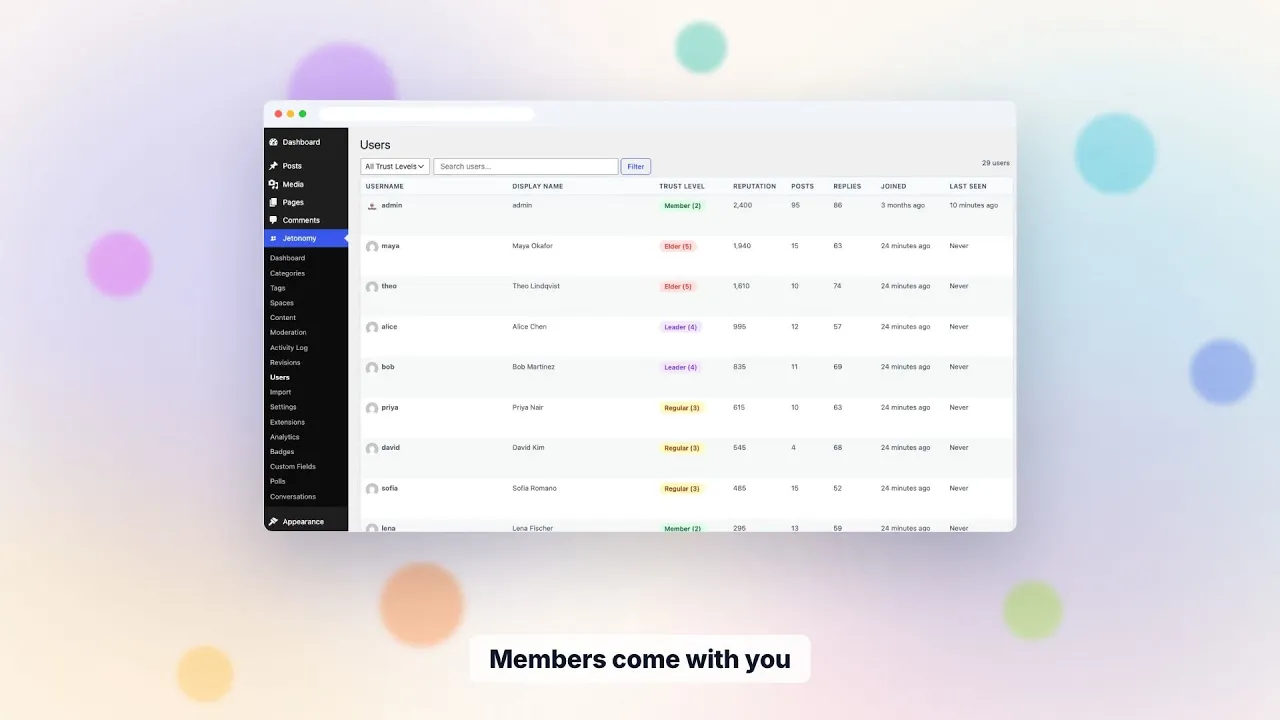
- Run the importer. From wp-admin go to Jetonomy → Import and pick your source plugin, or run
wp jetonomy import bbpressfrom WP-CLI. The importer turns each forum into a space and brings over its topics, replies, and attachments, linked to the original authors. Time depends on your size and host, so time a staging run first. - Review the import summary. It reports how many items were imported, already imported, skipped and failed. Before you start, the Import screen also lists notes about your source, such as closed topics that will stay closed. Check the skipped items and either accept or fix them by hand.
- Test on a private URL first. Don’t expose the new forum publicly yet. Click around, post a test topic, verify the import looks right.
- Set up redirects. The old
/forums/topic/{slug}URLs need to redirect to the new Jetonomy URLs to preserve SEO. The importer does not create redirects, so map old URLs with a redirect plugin (or your Cloudflare / Nginx rules). - Cutover. Disable the old forum plugin. Set the community base URL in Jetonomy’s settings to the prefix you want. Verify redirects work.
- Communicate to members. Post an announcement explaining the move and what’s new. Most members notice “wow, it’s faster” within a day.
The member journey (what they notice)
Members see one big change and several small ones:
- Big: the forum looks modern, loads fast, works on mobile (most legacy forum plugins don’t).
- Small: their old topics and replies are still there, under their own name.
- Small: the compose button is in a slightly different place. The reply box is inline instead of below.
- Small: they can upvote helpful posts, and in Q&A spaces the asker can mark an accepted answer.
- (Pro): they can react to posts with emoji.
Many members will not comment on the change at all. They just keep using the forum. That’s the success metric.
What the importers handle (and what they don’t)
Handled by the bbPress / wpForo / Asgaros importers:
- Topics with author + timestamp + content
- Replies + nested thread structure
- Authors (linked to the existing WordPress user)
- Categories / forums → mapped to Jetonomy spaces
- Attached images (uploaded to wp-content/uploads stay accessible)
Manual or partial migration:
- Custom roles / capabilities - review against Jetonomy trust levels and re-create
- Add-on plugin data (bbPress Voting, wpForo Polls, etc.) - usually requires a custom mapping
- Tags, topic subscriptions and reputation are not imported - ask members to re-subscribe after launch
- Custom CSS / theme integration - Jetonomy uses CSS custom properties, redo the styling
Run the importer on a staging copy first to see exactly what comes through. The import report is detailed enough to plan the manual cleanup before you cutover production.
When to wait
Not every forum should move this month. Hold off if you rely on an add-on whose data has no home in Jetonomy, if you have a large archive with heavy search traffic and no time for redirects, or if your members mostly use a feature you have not confirmed exists. A staging run costs a few hours and answers most of these doubts. If the staging copy looks right, move. If it does not, you have lost nothing.
Also decide who owns the cutover. Name one person for the redirect map, one for the announcement and one for the rollback plan, even on a small team. A rollback here means disabling Jetonomy and re-enabling the old plugin, with the backup behind it.
Staging checklist
Run through this on a copy of your live site before you touch production.
- Restore last night’s backup to staging and install Jetonomy and the source plugin.
- For bbPress, run
wp jetonomy import bbpress --dry-runfirst. It validates and counts without writing. wpForo and Asgaros have no dry run, so the staging copy is your preview. - Run the real import and note the time.
- Open ten of your busiest topics and compare them to the live forum.
- Check a private forum. Private and hidden forums keep their privacy, everyone who posted in them is added as a member, and new members need approving.
- Check closed topics, pinned topics and a wpForo unapproved reply. Closed topics stay closed, bbPress sticky topics import as pinned, and wpForo replies awaiting approval arrive as Pending.
Redirect strategy (don’t skip this)
Search rankings depend on URL stability. If you change forum URLs without redirects, you lose months of SEO equity.
The importer does not generate redirects. Map old URLs to the new ones yourself and load the map into:
- Cloudflare Workers (best for performance)
- An Nginx rewrite map (if you control the server)
- A WordPress redirect plugin like Redirection (easiest, slightly slower per-hit)
Test 20 random old URLs after redirect setup. Verify they 301 to the right Jetonomy URLs and the new pages load correctly.
What a normal week looks like after cutover
The first week is mostly watching. Read your server logs or your redirect plugin’s 404 report each morning and add any old URL you missed. Reply to member questions in a pinned “what changed” topic.
From the second week the routine looks like any other forum. Clear the moderation queue, answer unanswered topics and check that new members land in the right space. If you want to review how engaged people are, analytics is a Pro extension. See analytics.
Moving something else
Only three importers exist: bbPress, wpForo and Asgaros. For Discourse, phpBB, SMF, XenForo, Vanilla or anything else, there is no built-in route. Your choices are a manual rebuild of the structure with a CSV export used as reference, or a developer script that writes through the REST API or WP-CLI. A developer can also register a custom importer with the importers filter. Plan that as a small project, not a button. Our alternatives pages describe what to expect from a few of those platforms.
What Jetonomy does not do for a migration
- It does not create redirects or a redirect map.
- It does not import tags, subscriptions or reputation.
- It has no dry run for wpForo or Asgaros, and the dry run for bbPress runs from WP-CLI.
- It does not move custom CSS, theme layouts or add-on plugin data.
- It does not undo an import. Your backup is the way back.
What it costs to run afterwards
The free plugin covers the importers, forum, Q&A, ideas, trust levels and the moderation queue, so the migration itself needs no licence. Pro starts at $69 a year for one site if you later want things such as analytics, private messaging or an email digest. The running cost is the same as any self-hosted forum: your host, your backups and someone who updates plugins and reads the queue. A short staging rehearsal costs time, not money, and is cheaper than a failed cutover.
Data, privacy and ownership
Imported content lands in Jetonomy’s own tables in your WordPress database. Nothing is sent to a third party. Members keep their existing WordPress accounts, can delete their own account, and the plugin handles WordPress export and erase requests. Keep your old forum data until you are satisfied. The old plugin’s tables stay in the database until you remove them, which gives you a second copy while you compare.
Telling your members
A short announcement does most of the work. Say what date the forum moves, that logins and posts are unchanged, and what to do if an old link breaks. Mention that subscriptions are not carried over, so people can follow the spaces they care about again. Pin the post in the new forum and link it from your site banner.
What changes after migration
- Forum queries run against indexed Jetonomy tables rather than
wp_posts, and an external object cache (Redis or Memcached) is used when your host has one - The forum layout adapts to phones
- Members start using voting / accepted answers / tags they never had before
- Flagged and held content goes to one moderation queue, with Akismet screening if you have it
- Pagination and counters are built for large lists, but test your own volume on staging
Your first 30 days after the move
- Day 1: confirm redirects, submit the new forum URLs in your search console and post the announcement.
- Week 1: fix 404s from the logs and re-create any roles or moderators you need.
- Week 2: switch off the old forum plugin if you have not already, and remove its leftover pages.
- Week 3: invite members to try a Q&A or Ideas space beside the forum.
- Week 4: review the moderation queue, trust level settings and notification defaults.
- Week 4: decide whether any Pro extension earns its place.
Beyond the forum
Jetonomy sits in a family of separate, optional plugins from the same team, on one WordPress site and one login. A hosted product bundles things in one bill; here you install, host and update each piece yourself.
BuddyNext is the social layer, with profiles, an activity feed and groups. If you add it, the forum adopts BuddyNext’s look and BuddyNext owns the page header and navigation, with nothing to configure. BuddyNext also owns messaging on that site, so do not promise Jetonomy messaging there. See BuddyNext and Jetonomy.
Learnomy is the LMS plugin. With Jetonomy Pro, a space can be gated by a Learnomy course or membership plan, enrolling adds the member, and expiry removes them while their posts stay. See Learnomy and Jetonomy.
WP Career Board, Listora, Eventonomy, WPMediaVerse and WB Gamification are other plugins from the team that can run on the same site. We make no integration claims about them here. MemberPress and Paid Memberships Pro gating is in the free plugin. See all partners.
Common questions
Will my member URLs change? Usernames stay the same. Member profile URLs may change format - map them with a redirect plugin.
What about old SEO equity? Preserved if you set up 301 redirects from the old URLs to the new ones. Google re-crawls and updates rankings within weeks.
Can I run both plugins in parallel? Yes during migration testing. Don’t do it long-term - members get confused which forum to post in.
How long does the full migration take on a real site? We have no fixed timings, because it depends on your host, your attachments and how much cleanup you do. Do a full run on a staging copy, time it, and plan the cutover window from that.
Try it
Spin up the demo. The demo doesn’t come pre-loaded with bbPress, but the import tools are visible in admin → Jetonomy → Tools → Import. Read the importer docs in the documentation for the full walkthrough.