What you’re building
A Q&A space attached to your course, where students post questions and other students answer. The best answer gets marked, future students searching that question find it instantly. You spot top students automatically and reward them with badges or office-hour time.
This works for any teach-then-do course: programming, design, writing, marketing, music, language learning. The pattern is the same: a question that took one student 3 hours to figure out becomes a 30-second read for the next 50 students.
The student journey
What a student does end to end, from stuck to unstuck:
- Practicing the week 3 exercise. Hits an error they don’t understand.
- Searches the course Q&A for keywords from the error. Lands on a topic from last cohort.
- Top reply has the green “Accepted answer” badge. Reads it, applies the fix, finishes the exercise.
- (If no match) Posts a new question. Includes their code, the error, what they’ve tried. Tags it with the lesson number.
- Another student or a TA replies, when someone is around. Maybe a student two weeks ahead in the course.
- Marks the helpful answer. That answer becomes search inventory for the next cohort.
- The student who answered earns reputation points. Trust level ticks up. They appear higher on the course leaderboard.
The instructor wasn’t involved in this transaction. Two students helped each other. Future students benefit. The instructor’s office hours are now used for the questions that genuinely needed instructor judgment.
What you set up (admin side)
- Create a Q&A space per course or module. Q&A space type behaves differently from Forum: a question can end with an accepted answer, and readers can sort replies by best, oldest or newest.
- Gate the space by enrollment. MemberPress and Paid Memberships Pro work in Free; LearnDash, Tutor LMS, Restrict Content Pro and WooCommerce (Memberships or Subscriptions) need Pro, as does Learnomy. Pick the one you already use. Members of the course can post; non-members see nothing.
- Configure trust levels. Defaults work for most courses. Adjust the thresholds if your course is a short cohort rather than an evergreen self-paced track.
- Point students at the leaderboard. It ranks members by reputation for all time, the month or the week, and visible recognition gives helpful students a reason to keep answering.
- Set 1-2 tags per lesson. Students tag their questions; future students search by lesson tag.
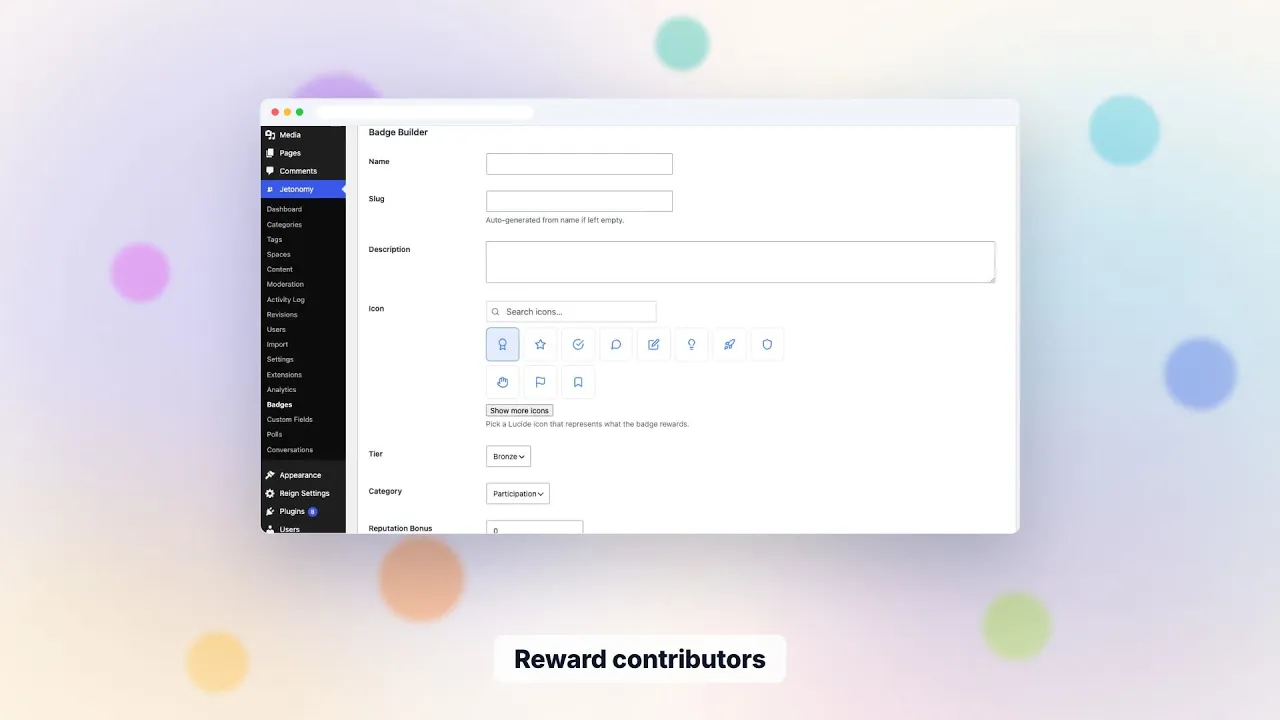
- (Optional) Custom badges for instructors. Pro feature. “Top Helper” or “First Cohort Pioneer” badges that students earn once and wear forever.
Setting it up, step by step
Allow an afternoon for the first pass. Most of it is deciding structure, not clicking.
- Decide the shape. One Q&A space per course suits a catalogue of separate programmes. One shared space with a category per module suits a single flagship course.
- Create the spaces. Choose the Q&A type for each one. Rename Topic and Reply to Question and Answer if that is how your students talk.
- Set access. Make the space private and gate it on your membership or course plan, or leave it public to read and limit posting with the “who can post” setting.
- Turn on approval for week one. The per-space approval setting holds new posts for a moderator. Switch it off once you trust the rhythm.
- Seed 10 to 15 questions from your last cohort’s inbox, each with an accepted answer you wrote.
- Invite a pilot group. A dozen students for a week will show you where the instructions are unclear before the whole cohort arrives.
Free covers the first five steps with MemberPress or Paid Memberships Pro. Course-plugin gating is the Pro part, and the full list sits on the partners page.
A normal week running it
Expect small, regular work rather than a heavy shift. Monday, glance at unanswered questions and nudge a TA to take two. Midweek, clear the moderation queue and accept or correct answers that landed without a mark. Friday, read the leaderboard and thank the three students who helped most.
The notifications do some of the chasing. Students who subscribe to a space are told about new questions, and a question’s author is told when a reply arrives. Email for these is off until you turn it on in the notification settings, so decide on purpose how loud you want it.
Keep one hour a month for housekeeping: link duplicate questions to the best original, retire out-of-date answers, and update pinned guidance. A Q&A archive is only useful while its answers stay correct.
Moderation for a learning space
Students are usually there in good faith, so the risks are different from a public support forum. You are guarding against answers that are confidently wrong, questions that are really homework requests, and content that gives away graded work.
- Every member can flag a post. Flags land in a queue that you or a space moderator work through.
- New members start at the lowest trust level with tighter posting limits, which slows a flood of low-effort posts.
- A per-space moderator, for example a TA, can handle one course without touching site settings.
- Akismet is wired in for spam. AI-assisted triage and extra rules are Pro.
- Bans and silences are available for the rare student who needs them.
None of this replaces your own judgement on whether an answer is correct. Jetonomy surfaces votes and flags, and a person still decides.
What to measure
Start with the free signals: the share of questions with an accepted answer, how long a question waits for its first reply, and which tags attract the most questions. The tag counts tell you which lesson confuses people.
Pro analytics adds an overview, top spaces, top contributors, an engagement report and a moderation report, with a CSV export for your own spreadsheet. Without Pro you can still read the same story from the space lists and the leaderboard, only by hand.
Be careful with causal claims. If completion improves after you launch the space, you cannot be sure the space did it. Compare against a cohort that ran without it if you can.
What Jetonomy does not do here
- It does not deliver course content or track lesson progress. That is your LMS.
- It does not grade, and it cannot tell whether an answer is correct.
- It does not run live office hours, voice or video. There is no chat in the plugin.
- It does not enrol students by itself. Enrolment comes from your membership or course plugin, and Jetonomy follows it.
- Accepted answers work in Q&A spaces only, not in a Forum or Ideas space.
- Search is MySQL full-text, which is fine for a course archive but is not a dedicated search engine.
What it costs to run
The plugin is free, and Pro starts at $69 a year for one site. The running cost is your hosting plus the time somebody spends in the queue. Because the community lives in its own database tables inside your WordPress database, a course with a few hundred students does not need anything beyond ordinary managed WordPress hosting. An external object cache such as Redis helps on busy launch days, and Jetonomy uses one when your host provides it.
Skills are modest. Someone who can install a plugin and set up membership rules can run it. Someone comfortable with WP-CLI or the REST API can go further, for example pulling a list of unanswered questions into a weekly report.
Student data and privacy
Students are ordinary WordPress users, so there is one login and one account to manage. Data export and erase requests go through the standard WordPress privacy tools, which Jetonomy registers with, and a student can delete their own account. Say in your course terms that answers are visible to the cohort, and to the public if the space is open to read.
Before launch, read the forum, Q&A and ideas guide if you are unsure whether a course needs Q&A alone or a Forum space beside it. Many courses run both: Q&A for lesson questions, a Forum for introductions and general chat.
Your first 30 days
- Week 1: build the spaces, seed the questions, invite a pilot group.
- Week 2: open to the first cohort, keep approval on, and answer quickly yourself.
- Week 3: promote the two or three students who help most, and give them moderator rights for their course if it suits you.
- Week 4: read what was asked, fix the lessons that drew the most questions, and write up the answers as pinned guidance.
- Decide whether the thresholds for trust levels fit your cohort length.
- Decide whether Pro is worth it for course-plugin gating, badges or analytics.
Why this works on Jetonomy specifically
- Q&A is its own space type (not just a Forum with different CSS). Visual cues for unanswered, has-replies, accepted-answer states are built in.
- Accepted answers are a first-class feature. The student who marks the answer keeps that authority - they decided what worked for them.
- Trust levels grow automatically as students post and earn reputation. By default a student reaches level 3 (Trusted) after 100 posts, 60 days and 200 reputation, and you can change those thresholds. A level is a ceiling on what a member may do, so it never hands out moderator powers on its own. Levels 4 and 5 are granted by you.
- Membership-gating per space means each cohort can have its own private Q&A, or all enrolled students can share one community space.
- Fast page loads at scale matter when 500 students hit the Q&A at the start of a new lesson. In our scalability notes, a 10,000-topic community loaded in about 150ms with Redis object caching on a standard VPS. Treat that as a guide, not a promise for your host.
Alongside the rest of the family
Jetonomy runs as one of several separate, optional plugins from the same team. Each is installed, hosted and updated on its own, on one WordPress site and one login, which is the opposite of a hosted bundle on one bill.
Learnomy is the LMS plugin. With Jetonomy Pro, a space can be gated by a Learnomy course or membership plan: enrolling adds the student, expiry removes them, and their posts stay. See the Learnomy page for the detail.
BuddyNext is the social layer, with profiles, an activity feed and groups. With both active, the forum adopts BuddyNext’s look and BuddyNext owns the page header and navigation, with nothing to configure. On a BuddyNext site, BuddyNext also owns messaging, so do not plan on Jetonomy private messages there. See the BuddyNext page.
Other pieces from the team run on the same site if you need them: WP Career Board for jobs, Listora for a directory, Eventonomy for events with RSVP, WPMediaVerse for member media and WB Gamification for points and badges. They are separate products, and we make no claim here that they connect to Jetonomy. The BuddyX Pro and Reign themes come from the same team, and Jetonomy picks up the active theme’s brand colour. For the wider picture, read the guide on building community on WordPress and the Q&A feature page.
What changes in your teaching
- Office hours stop being clogged with the same 10 questions every cohort
- Top students self-identify - perfect for TA recruitment or beta access for next course
- Students who get an answer quickly are less likely to stall, though you will need your own course data to know by how much
- You see exactly which lessons confuse students most (high question count per tag)
Common questions
What if a student gives a wrong answer? Members can vote answers up or down, so a better answer tends to rise. You or a TA can step in if needed.
Can I make the Q&A visible to prospects (not just enrolled students)? Set the space to public visibility with restricted posting - prospects can read, only enrolled students can post. Great for SEO: questions index and bring prospects who realize “this is exactly the course I need.”
How do I onboard each new cohort? Pin a welcome topic explaining the Q&A norms. Tag a few example questions as “good first questions.” The cohort self-organizes from there.
Try it
Spin up the demo. Create a Q&A space, post a question as one user, answer as another, mark the accepted answer. You’ll see the visual difference from a generic forum immediately.