

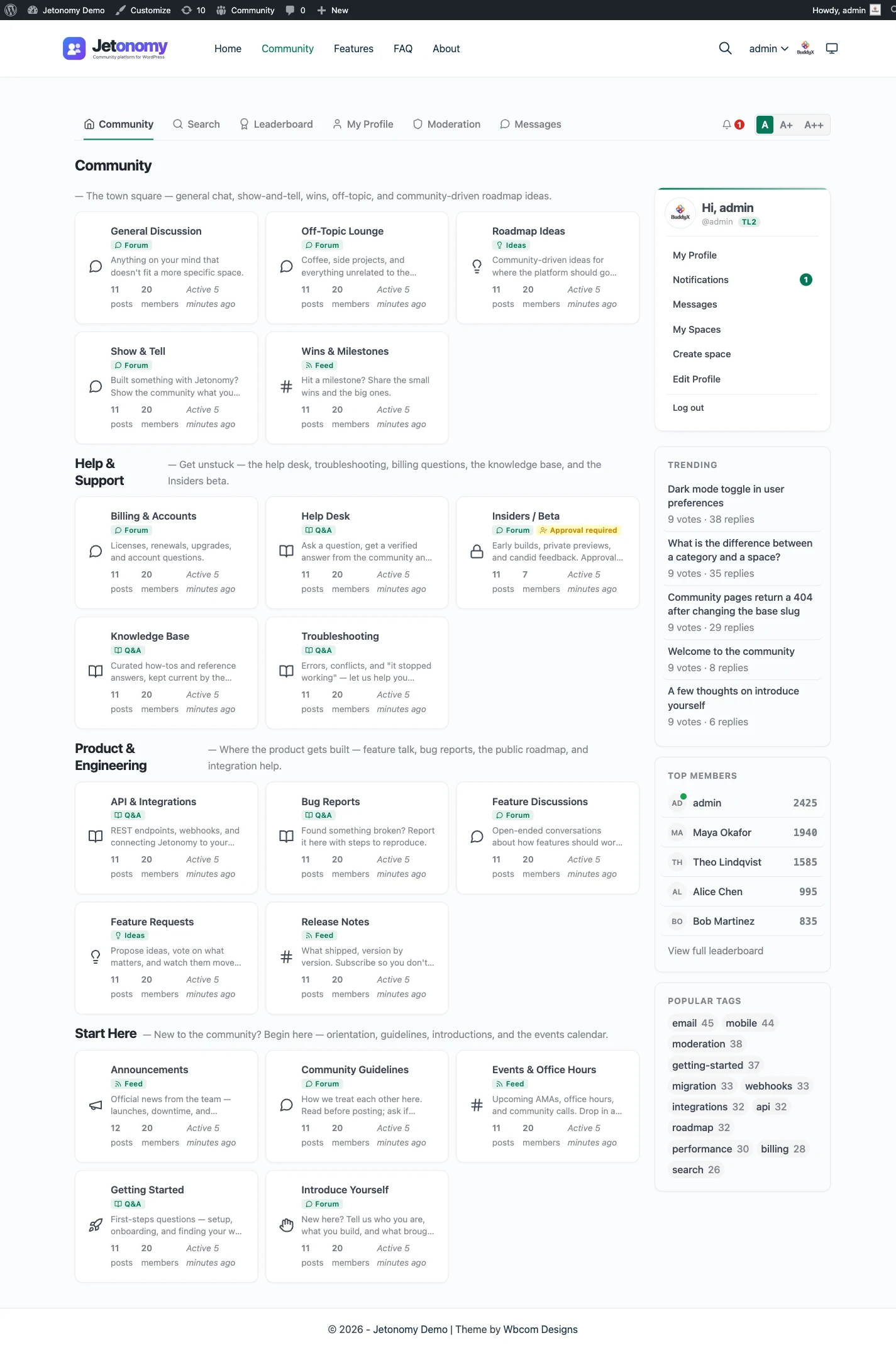
The real difference: one stack instead of two
Discourse is excellent software. The question is not whether it is good, it is whether you want to run a second platform alongside WordPress.
A Discourse community is a separate Ruby on Rails application. It needs its own server, its own database, its own email pipeline, and its own update cycle. It has its own user accounts, so you either ask members to register twice or build and maintain a single-sign-on bridge. It has its own theme, so the forum looks like Discourse, not like your site.
For a standalone community that has nothing to do with WordPress, that separation is fine. But most communities are attached to something: a SaaS product, a course, a membership, a store. When that something runs on WordPress, a separate Discourse install means two stacks to secure, two things to update, two logins to support, and two visual identities to reconcile.
Jetonomy collapses that into one. The community is a plugin in the WordPress site you already run. Members are WordPress users. The forum inherits your theme. There is no second server.
What you keep, and what you drop
You keep the things that made you consider Discourse: a modern forum with threaded replies and voting, trust levels that let the community moderate itself, and a clean reading experience. You add things that take plugins or custom work on Discourse: a Q&A space with accepted answers, an ideas board with a roadmap, and membership gating that ties spaces to your existing plans.
What you drop is the operational weight. No Docker host to patch. No SSO to debug at 2am. No “why does the forum look different from the rest of the site” conversation.
Other Discourse alternatives people weigh
Most people comparing options look at more than one, so here is the short version of the field.
- Standalone forum apps. Flarum, NodeBB and XenForo are separate applications, like Discourse. Each needs its own hosting and its own member accounts, and each has its own strengths. They suit a community that stands on its own.
- Hosted community platforms. Services such as Circle run everything for you for a monthly fee. You trade control of the data and the domain for convenience.
- WordPress forum plugins. bbPress and wpForo run inside WordPress, as Jetonomy does. The differences there are storage, interface and how much beyond a plain forum you get.
Simple Machines Forum (SMF)
If you are weighing a lighter PHP forum against Discourse, Simple Machines Forum is the other name that comes up. It is a classic, self-contained board that needs far less than a Ruby app to run. It still keeps its own accounts and look, so the WordPress question stays open. The SMF comparison covers that route.
The first question is not which product. It is whether the community should live inside your WordPress site or beside it. Answer that and the list gets short.
A fair word on scale
Discourse powers some of the largest public forums on the internet, and that pedigree is real. If you are building a massive standalone community and you have the infrastructure team to run it, Discourse is a strong pick.
For the far more common case, a community that belongs next to a WordPress site, the deciding factor is rarely raw scale. It is whether you want to operate one platform or two. Jetonomy is built for the teams who want one.
A normal week once the forum is live
Most of the work is moderation, and it is small when the community is small. A moderator opens the queue of flagged posts, clears what needs clearing and moves on. Per-space moderators can look after their own area, so one person is not reading everything.
The rest is the upkeep you already do for the site. WordPress, the theme and your plugins get updated, and the database gets backed up. There is no second application to rebuild or patch, because the forum is part of the one you already run.
Once a month it is worth a short look at the numbers: which spaces are busy, which have gone quiet, and whether a space type should change. Pro adds analytics for that, and an email digest that pulls lapsed members back to the threads they missed.
What it costs you to run each
Discourse is free to self-host, which is a real draw. The cost shows up elsewhere: a server sized for a Rails app, a database, an email service that actually delivers, backups, and someone who applies updates on time. The vendor also sells hosted plans, so check its site for what is on offer today.
Jetonomy runs on the WordPress hosting you already have. The core plugin is free, and Pro starts at $69 a year for one site, with one licence switching on every Pro extension. You still handle updates and backups, but they are the same ones you do for the rest of the site.
The skill gap matters as much as the price. Running Discourse well is a job for someone comfortable with containers and server upkeep. Running a plugin is a job for whoever already looks after WordPress.
Moving over, and what does not come with you
No importer exists for Discourse. Jetonomy imports from bbPress, wpForo and Asgaros only, and moving from anything else is a manual rebuild or a custom script. A developer can write one against the REST API or WP-CLI, but it is not built in.
If you decide to move, plan for this:
- Choose the threads worth keeping, and rebuild your categories as spaces.
- Pick a type for each space: Forum, Q&A, Ideas or Show & Tell.
- Invite members to sign in with their WordPress account, since forum accounts do not transfer.
- Set your own redirects, because none are created for you.
- Keep the old forum read-only for a while, and link to it from the new one.
The migration guide covers the general approach. The forum, Q&A and ideas guide helps with choosing space types.
From install to the first real thread
Setup is a short run of steps, and nothing in it needs a command line.
- Install and activate the free plugin from the WordPress admin, as you would any other.
- Open the setup wizard. Choose the community address, pick a default type (Forum, Q&A, Ideas or Show & Tell) and either create your first space or load sample data to look around.
- Add the Community link to your menu, so visitors can find it.
- Decide who can read: the settings let guests browse the public spaces, or require a sign-in for everything.
- Send yourself a test email, then invite a small group with an invite link. People who already have an account on your site can simply sign in.
- Add Pro later if you need messaging, polls or AI moderation. One licence switches on every extension.
The guide to adding a forum to WordPress walks through the same path with screenshots.
Moderation and search, side by side
Both products take moderation seriously. Jetonomy has a queue for flagged content, per-space moderators, ban and silence, a revision and activity log, and Akismet in the free plugin. Trust levels run from 0 to 5: the first three are earned from post count, days active and reputation, and an admin grants the top two. A trust level limits what a member may do. It does not hand out extra powers.
On search, public spaces are ordinary crawlable pages, with QAPage, DiscussionForumPosting, Person and BreadcrumbList structured data from the free plugin. Search inside the forum is MySQL full-text, which suits a community-sized forum. If you need a dedicated search engine behind a very large archive, that is a point for Discourse.
Pro adds AI moderation, advanced moderation rules and anonymous posting, for communities that need more. See the advanced moderation page for what each rule does.
Data, privacy and ownership
Every topic, reply, vote and profile lives in Jetonomy’s own tables inside your WordPress database. A normal database backup therefore covers the community, and a host move takes it along with the rest of the site. You decide where the data sits and who can reach the server.
Privacy requests use the tools WordPress already has. For an export, go to Tools, then Export Personal Data, and the member’s profile, posts, replies, votes, bookmarks and subscriptions are included. For erasure, the eraser keeps a member’s writing in place but removes their name from it, and deletes the personal records around it. Members can also delete their own account.
If a Pro licence lapses, the Pro extensions switch off after 30 days. The free plugin and every piece of data keep working. Nothing is held back.
What Jetonomy does not do for a Discourse crowd
A fair list of gaps is more useful than a long list of strengths. If any of these is essential, weigh it before you move.
- It does not run without WordPress. There is no standalone mode.
- It does not update threads live as replies arrive.
- It does not use a dedicated search engine; search is MySQL full-text.
- It has no theme-component or plugin marketplace. You extend it with hooks, filters, blocks, template overrides and the REST API.
- It has no importer for Discourse, so a move is a rebuild or a custom script.
If your team wants to build on top, the developer platform page lists what is open to you.
The wider family on one WordPress site
Jetonomy sits in a family of separate, optional plugins from the same team. They share one WordPress site and one login, and you install only the ones you want.
BuddyNext is the social layer, with profiles, an activity feed and groups. With both active, the forum adopts BuddyNext’s look and BuddyNext owns the page header and navigation, with nothing to configure. On such a site BuddyNext also owns messaging, so there is one inbox rather than two. See the BuddyNext page. It suits a community that wants member profiles and a feed around its discussions.
Learnomy is the LMS plugin. With Jetonomy Pro, a space can be gated by a Learnomy course or membership plan. Enrolling adds the member, expiry removes them, and their posts stay. See the Learnomy page.
Other pieces run on the same kind of site: WP Career Board for a job board, Listora for a directory, Eventonomy for events with RSVP and capacity, WPMediaVerse for member media and WB Gamification for points and badges. BuddyX Pro and Reign are themes from the same team, and Jetonomy adopts the active theme’s brand colour.
A hosted product bundles these under one bill. Here they are separate plugins that you install, host and update yourself. That is more upkeep, and it is the price of choosing every piece.
Extending it without a plugin marketplace
If your team likes to build, Jetonomy is open in the ways WordPress developers expect. The whole product can be driven over the REST API, there are WP-CLI commands for routine jobs and a large set of hooks and filters for changing behaviour. Eight blocks and eight shortcodes place community content on ordinary pages.
A theme can override the templates by placing files in its own folder, which is how most visual changes are made. Recent WordPress versions also expose abilities that AI agents can call. None of this is a marketplace of ready-made add-ons, so a feature nobody has built is a small development job.
Who should stay with Discourse
Stay if your community is large, public and has no tie to a WordPress site. Stay if you have people who enjoy running the infrastructure, or you pay for hosted Discourse and it works for you.
Stay, too, if your members rely on its plugins and themes, or if live-feeling updates are part of what they like. Moving a healthy community is a cost, and it should buy something. The comparison hub and the features overview show what Jetonomy does today, so you can judge what it would buy you.