

Activity Log
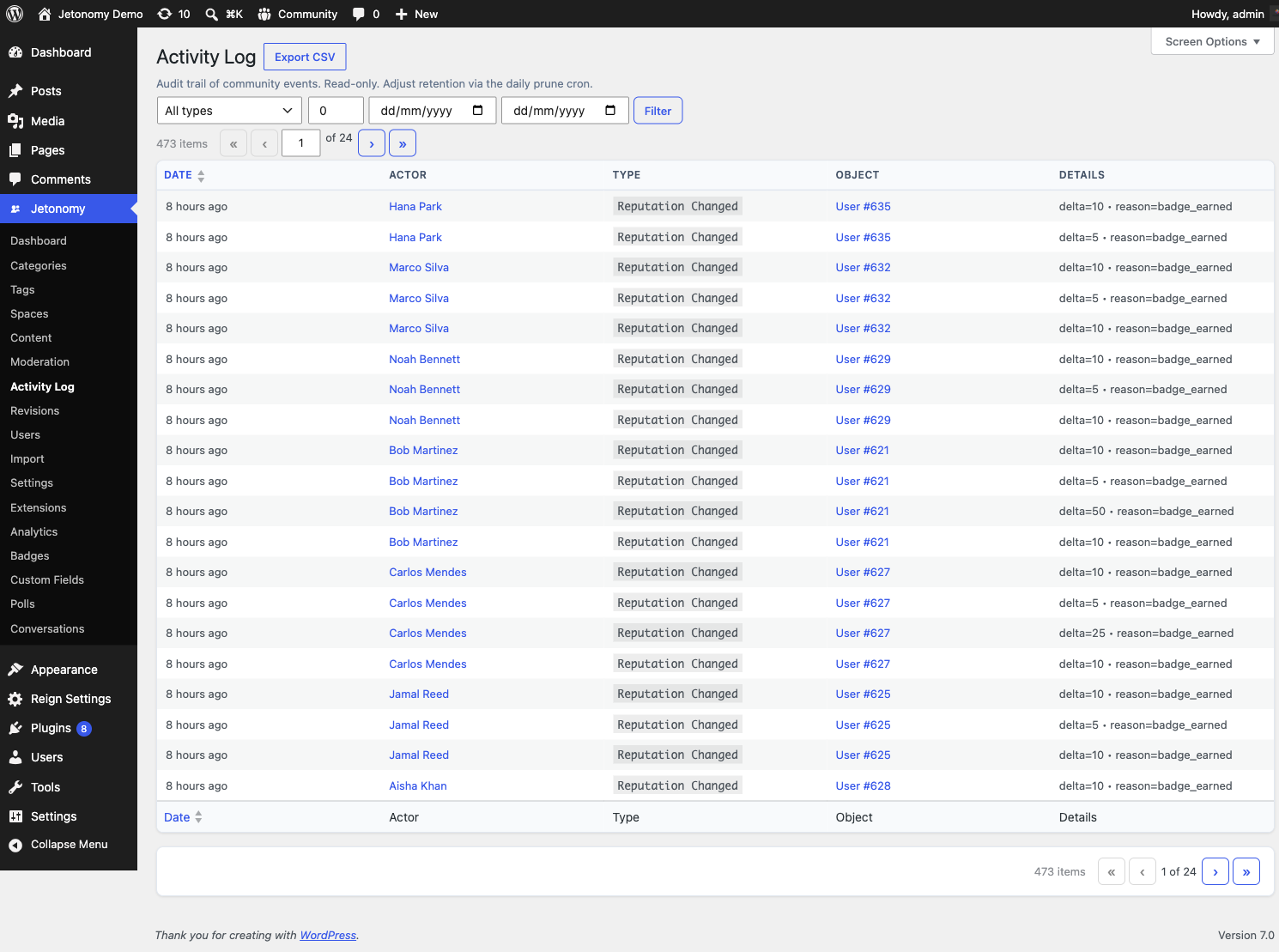
The Activity Log admin page shows you every audit-worthy event in your community - who created a post, who approved a reply, who banned a member, when a role changed. Read-only and filterable.
What You Will Learn
- What events are recorded in the Activity Log
- How to filter the log by user, event type, or date range
- Why some events appear and others don't
- How to use the log for moderation reviews and account audits
Go to Jetonomy → Activity Log to access the page.
What Gets Logged
The log records every event that changes the state of the community in a way that's worth being able to look back on:
- Posts created, edited, deleted, restored
- Replies created, edited, deleted, restored
- Flags raised and resolved (with the resolution outcome)
- Members joining or leaving a space
- Role changes (member → moderator, moderator → admin, demotions)
- Trust level promotions and demotions
- Bans and silences (issued and lifted)
- Setting changes that affect community behaviour
What's NOT logged: votes, reads, search queries, page views - these are too high-volume to keep useful and are tracked separately by Analytics (Pro).
Filters
The page supports three independent filters that can be combined:
| Filter | What it does |
|---|---|
| User | Show only events caused by a specific member or staff user |
| Type | Show only one event type (e.g. "post created", "ban issued") |
| Date range | Show events between two dates |
Combine all three to answer questions like "which posts did this moderator approve last week?"
Read-Only
The Activity Log is intentionally read-only. You can't edit or delete entries from this page. The log is the audit trail - modifying it would defeat the point.
If you need to undo something a member or staff user did, do it in the relevant area (e.g. restore a deleted post from the post page, lift a ban from the member's profile). The log will then record the corrective action as a new entry.
Performance
The log is paginated server-side at 20 entries per page by default (adjustable via the per-page screen option). Filters apply at the database level, so even on a community with hundreds of thousands of entries, filtered queries return in under a second on a normal host.
There's no automatic cleanup - entries are kept indefinitely. If you want to prune the log, you can do it via WP-CLI; reach out via support if you need a recipe.