

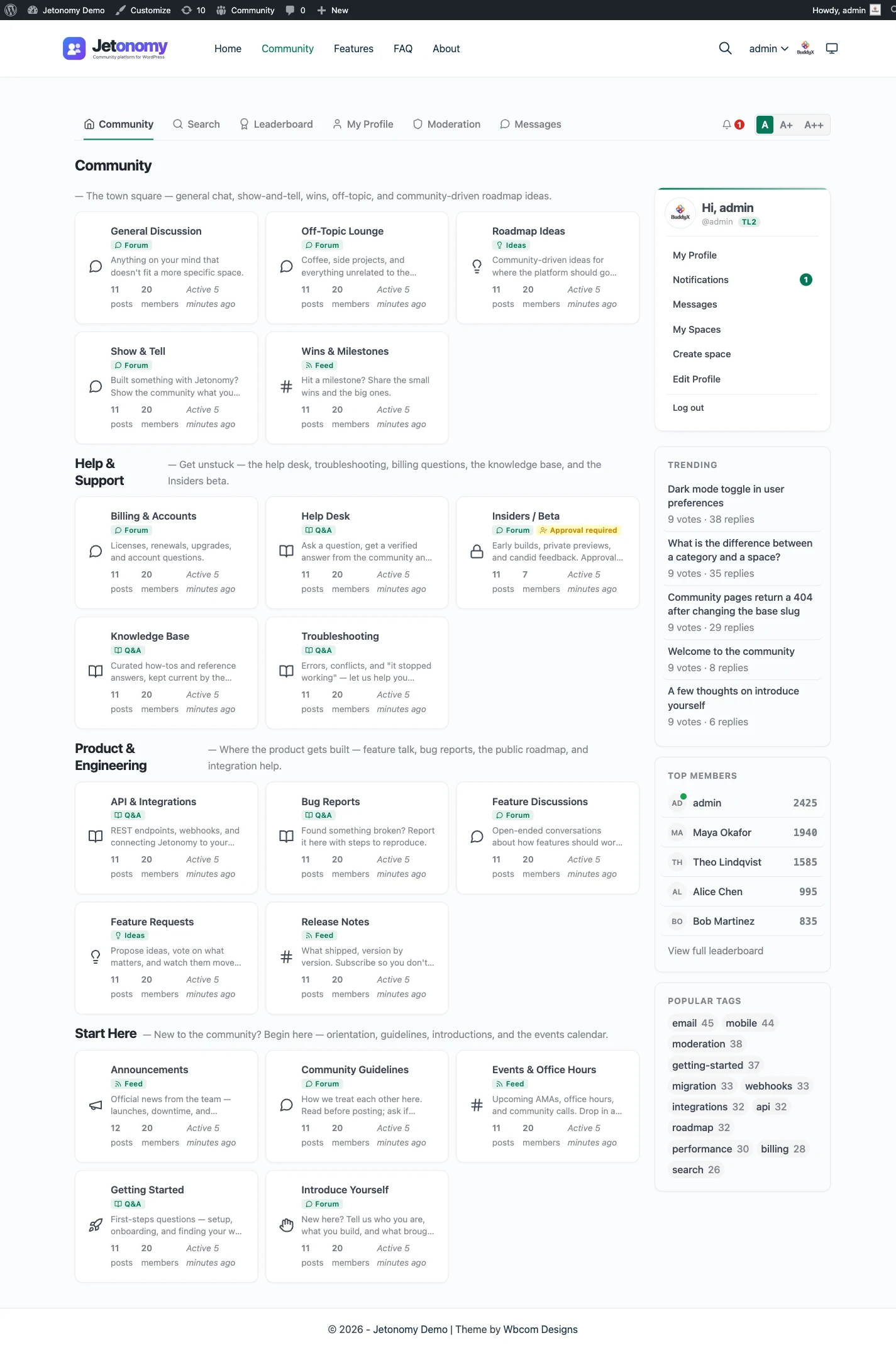
Adding a forum to WordPress is a plugin install. Getting a forum that people actually post in is a different project, and it is the part almost nobody writes about. This is the full sequence: whether a forum is even the right call, installing it, structuring it before a single member shows up, deciding who can post and who moderates, seeding it so it does not look dead on day one, and what to check before you tell anyone it exists.
Step 1: confirm a forum is actually what you want
Before you install anything, get clear on the format. “Forum” gets used loosely, and it is not the only shape a discussion feature can take. A classic forum is built for open-ended, threaded conversation, built around topics and replies, where a community can wander from one subject to the next. That is different from a Q&A space, where the goal is one accepted answer sitting at the top instead of forty replies stretching down the page. It is also different from an ideas board, where members vote on requests and you track status instead of following a conversation.
If your goal is support deflection, an accepted-answer Q&A format usually outperforms a forum, because visitors searching for a fix want the answer, not a thread history. If your goal is open discussion among people who already know each other, a forum is the right shape. The full breakdown of when each format wins lives in Forum vs Q&A vs ideas board; read that first if you have not already picked a format, and come back here once you have.
This guide assumes you have landed on a forum. If you decide midway through setup that some of your content is really Q&A, most modern community plugins including Jetonomy let you run a forum and a Q&A space side by side, so it is not an either-or choice.
Step 2: install the plugin
A forum plugin gives you the data model, the posting interface, and the moderation tools that a WordPress comment thread was never built to handle. You are looking for a plugin that stores discussions cleanly, ships threaded replies, and gives you real moderation controls rather than just an on/off comment toggle.
Search Plugins inside your WordPress admin, or install from a zip if you are running Pro. Jetonomy’s WordPress forum plugin covers what the category needs to do well: threaded topics with drafts and scheduled posts, votes and reputation so good answers surface on their own, tags and search so the archive stays usable once it grows, and trust levels and a moderation queue for when the forum is busy enough to need them.
One detail worth checking before you commit: where the plugin stores its data. Some forum plugins pile every topic and reply into wp_posts, the same table WordPress uses for pages and blog posts. On a small forum that is invisible. On an active one, it is a table that grows into the hundreds of thousands of rows and drags query performance across your whole site, not just the forum. Jetonomy stores discussions in dedicated tables instead, so a busy forum does not slow down everything else on the site. If you are moving off an existing bbPress install, the bbPress alternative page covers the tradeoffs and the one-click import path in detail.
Activate the plugin and you will get a default forum space. Do not open it to the public yet. There is structuring work to do first.
Step 3: structure categories before anyone posts
This is the step people skip, and it is the one that determines whether your forum stays readable at 50 topics or turns into a pile at 15. Structure is far cheaper to set up now than to retrofit after members have already posted 200 topics into a single undifferentiated space.
Start narrow. List the four or five subjects your community will actually talk about, not the twenty you can imagine someone eventually raising. A support forum for a software product might split into installation, bugs, feature requests, and general chat. A hobbyist community might split by sub-topic or by skill level. Resist the urge to build a deep category tree with nested subcategories from day one; a flat list of a handful of categories is easier for a new visitor to scan, and you can split a category later once it earns its own space by actually filling up.
Name categories the way a visitor thinks, not the way your org chart thinks. “Bugs” beats “Technical Support Tier 1.” A category name is doing real work: it is telling someone where to post and what they will find if they click in.
Set one thing you can adjust later but should decide now: whether categories are open to everyone or scoped to specific roles or membership levels. If part of your community is paid or invite-only, category-level access control is usually cleaner than gating the whole forum, because it lets you keep a public-facing section for discovery while reserving the deeper content for members.
Step 4: decide who can post and who moderates
Two separate decisions live here, and it is worth being deliberate about both instead of leaving the defaults in place.
Who can post. Most forums let anyone read without an account, since public threads are searchable and that is often how new members find you in the first place. Posting is usually gated behind a free account, both to cut down on drive-by spam and because a named account is the beginning of reputation. If your forum sits behind a membership or subscription product, tie posting rights to that entitlement rather than to a separate manual flag, so access stays correct automatically as memberships change.
Who moderates. Somebody needs to own this before launch, even if it is only you for the first month. Set up trust levels if your plugin supports them, so members who have posted reliably for a while earn lighter moderation than a brand-new account posting its first message. Turn on a moderation queue for new or low-trust accounts so spam and off-topic posts do not go live before anyone sees them. Decide your policy on things like self-promotion and off-topic threads before you need to enforce it under pressure, not while you are mid-argument with someone in the replies.
Be honest with yourself about the ongoing cost here. Moderation is not a one-time setup task, it is a recurring one. A forum with zero moderation drifts into spam or hostility within weeks of getting real traffic. Budget actual time for it, even if that time is thirty minutes a day checking the queue.
Step 5: solve the empty-forum problem
Here is the part almost nobody writes about, and it is the reason more new forums fail than any setting you configure. An empty forum stays empty. Nobody wants to post the first topic into a space with zero replies and zero other members, because posting into silence feels like talking to an empty room. Your first real visitor will look at a forum with no activity and conclude, correctly, that nothing is happening here, and they will leave without posting either.
You have to break this loop yourself before you open the doors. Seed the forum with real threads before you announce it anywhere. Write ten to twenty genuine topics across your categories: common questions, useful starting threads, things you actually want to discuss. Answer some of them yourself, or recruit two or three early members, colleagues, existing customers, or people from an existing community you already run, to seed a few threads and replies before the public launch. The goal is not to fake volume, it is to make sure the first stranger who visits sees a place where conversation is clearly already happening, so joining in feels normal rather than exposed.
Keep seeding for the first few weeks after launch too. A forum with one burst of activity on day one and silence afterward is barely better than one that launched empty. Check in daily, reply to new topics quickly, and be visibly present as the person running the place. Early responsiveness is what teaches new members that posting here gets a response, which is the entire reason anyone returns to a forum a second time.
Step 6: what to check before you announce it
Do a final pass before you tell anyone the forum exists.
Read through your categories as a new visitor would and confirm the names still make sense once real threads are sitting in them. Test the signup and posting flow yourself in an incognito window, since a broken registration form is the fastest way to lose a first-time visitor. Confirm notification settings are working, both for you as moderator and for members replying to threads they follow, because a forum that does not tell people they got a reply trains them to stop checking back. Check that your seeded content reads as genuine rather than as placeholder text; a thread that obviously exists just to fill space is worse than an empty category. And confirm your moderation queue and reporting tools are actually live, not just installed, because the first spam post will arrive faster than you expect.
Once that pass is clean, announce it. Point people at it from wherever your audience already is, whether that is an email list, a product’s existing user base, or a social channel. Give the launch a specific, low-friction ask, such as “come answer this one question” rather than a vague “come check out our new forum,” because a specific prompt is far easier to act on than a general invitation.
Where this fits with the rest of your community
A forum rarely stays the only thing you run. Once it is established, most communities add a second space for a different job: a Q&A section for support questions that deserve one clear answer, or an ideas board where members vote on what gets built next. The format comparison guide walks through when each of those makes sense if you get there.
If you are evaluating the plugin itself before you commit to any of this, the feature list and pricing pages cover what is included at each tier, and the documentation has the setup detail for every step above if you want more than this walkthrough gives you.
A forum is not a feature you turn on. It is a room you have to fill and keep tending. Do the structuring work up front, take moderation seriously, and solve the empty-room problem before launch rather than after, and the plugin install becomes the easiest part of the whole project.