

You decided to build a community. Good. The next decision trips up more people than any plugin setting ever will: what shape should it take? A forum? A Q&A board like Stack Overflow? An upvoted ideas list? A gallery of member work? A fast-scrolling feed?
This is not a cosmetic choice. The format you pick decides what behavior your community rewards, what content rises to the top, and whether people come back. A support audience dumped into a chronological feed will drown. A casual hangout forced into a strict question-and-answer format will go quiet. Pick the wrong shape and you will spend months wondering why engagement stalled when the real problem was structural.
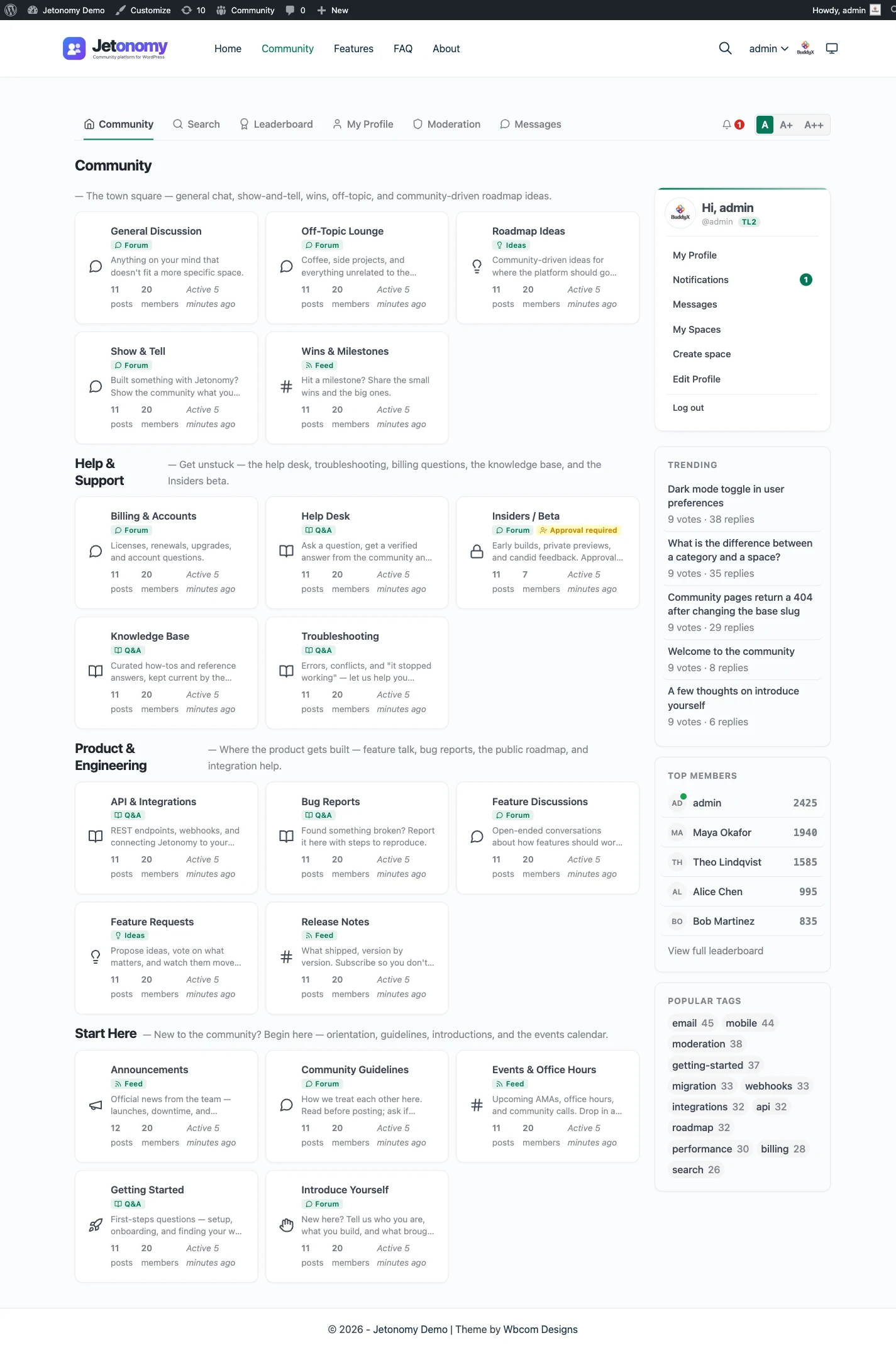
Here is the good news. In Jetonomy, format is a property of each space, not of your whole site. You are not choosing one shape for everything. You are matching each shape to a job, and you can run as many shapes as you have jobs. Let’s walk through the five formats, the job each one does best, and how to decide.
Start with the job, not the format
Before you compare features, name the job. Every community format exists to optimize one signal. Get the job right and the format almost picks itself.
There are really only five jobs a community space can do well:
- Discuss an open-ended topic where there is no single right answer.
- Answer a specific question so the solution is findable later.
- Prioritize what to build or change next, by popular demand.
- Showcase work so people can admire, learn from, and react to it.
- Chatter in short, fast, low-stakes updates.
Each of those maps cleanly to one of Jetonomy’s four space types. Match the job to the format and you stop fighting your own tool.
The five Jetonomy space types
Jetonomy ships four space types in the free plugin. Each one changes how content is created, sorted, and rewarded. They are not skins on the same list. The underlying behavior differs.
Forum: open discussion
A discussion forum is the classic threaded format. Someone starts a topic, other people reply, and the conversation branches as needed. There is no single correct answer and no winner. The forum optimizes for breadth of conversation.
Use a forum when the value is in the back-and-forth itself: introductions, general discussion, debate, off-topic chatter that bonds a community, or any subject where ten good perspectives beat one accepted answer. If your members mostly want to talk to each other rather than extract a fact, a forum is your home base.
Q&A: one accepted answer
A Q&A space looks similar at a glance but behaves differently in the ways that matter. A member asks a question. Others post answers. Answers are sorted by votes, not by time, so the community’s best response floats to the top regardless of who posted first. The question’s author (or a moderator) marks one answer as accepted, and that answer gets pinned as the solution.
The signal a Q&A space optimizes is findability of the right answer. That makes it the natural format for product support, technical help, and anything you want to turn into a searchable knowledge base. Over time a good Q&A space becomes a deflection engine: the next person with the same question finds the accepted answer instead of asking again. If you run support today through a ticket queue, a Q&A space is the public, compounding version of that work.
Ideas board and roadmap: upvoted requests
An ideas board flips the direction of value. Instead of members asking you for help, they tell you what to build. Anyone can post an idea, and everyone can upvote. The most-wanted ideas rise to the top, so you get a live, demand-weighted view of what your audience actually wants.
The roadmap is the other half. You move each idea through status badges (planned, in progress, shipped, and so on) so members can see where their request stands without emailing you. The upvotes tell you what to build; the badges tell members that you are listening. Together they replace the black hole that most feedback inboxes become. The signal here is prioritization by genuine demand.
Show & Tell: image-first showcase
A Show & Tell space is built for work people want to display. The layout is image-first, so posts lead with a visual rather than a wall of text. Think portfolios, finished projects, before-and-after shots, setups, fan art, or any community where the proof is in the picture.
The signal a showcase optimizes is admiration and inspiration. Members come to see what others made and to share their own. It rewards craft and effort in a way a text forum cannot, and it is one of the strongest formats for making people feel proud to belong.
Social Feed: short-form recency timeline
A Social Feed is the fast lane. It is a chronological, short-form timeline: quick updates, status posts, a thought of the day, a link worth sharing. Newest content sits at the top, and the feed never asks anyone to write an essay.
The signal a feed optimizes is recency and momentum. It keeps a community feeling alive between the longer-form posts elsewhere. A feed is a poor place to store knowledge (anything good scrolls away within a day) but an excellent place to maintain daily rhythm and lightweight connection.
The decision table
Here is the whole framework in one place. Find your primary job in the middle column, and the format on the left is your answer.
| Format | Best for | The signal it optimizes |
|---|---|---|
| Forum | Open discussion, introductions, debate, community bonding | Breadth of conversation |
| Q&A | Product support, technical help, building a knowledge base | Findability of the right answer |
| Ideas board and roadmap | Feature requests, feedback, deciding what to build next | Prioritization by genuine demand |
| Show & Tell | Portfolios, projects, fan art, before-and-after, setups | Admiration and inspiration |
| Social Feed | Status updates, quick links, daily rhythm, lightweight chatter | Recency and momentum |
If two rows feel right, that is not a tie you need to break. It is a sign you have two jobs, which brings us to the most important point in this guide.
The real answer is usually more than one
Almost every healthy community does several jobs at once. Your members want to ask support questions and request features and show off what they built and hang out. Forcing all of that into a single format is exactly how communities stall: the support seekers drown out the showcasers, the feature requests get buried in general chatter, and nobody can find anything a week later.
Jetonomy is built so you do not have to compromise. Because the format lives on each space, you can run a discussion forum, a Q&A knowledge base, an ideas board with a roadmap, a Show & Tell gallery, and a Social Feed at the same time, from one plugin, on one self-hosted WordPress site. There is no separate product to buy for each shape and no integration to wire up between them. They share the same members, the same trust levels, the same moderation, and the same custom jt_* database tables underneath.
A common starting layout looks like this:
- A forum space called General for discussion and introductions.
- A Q&A space called Help that doubles as your support knowledge base.
- An ideas board called Feature Requests wired to a public roadmap.
- A Show & Tell space when your members make things worth seeing.
- A Social Feed to keep daily momentum between the bigger posts.
You do not need all five on day one. Start with the one format that matches your single most important job, prove it works, and add spaces as new jobs appear. The point is that the ceiling is not “pick one.” The ceiling is “run exactly the shapes your community needs.”
This is also the difference between a community platform and a single-purpose tool. A standalone forum script can only ever be a forum. A standalone Q&A app can only ever do Q&A. When your audience inevitably wants the other jobs done too, you are stuck bolting on a second product. Choosing a platform that does all five from the start is the long-term decision. If you are weighing the broader build, our guide on how to build a community on WordPress covers the full picture.
How to set this up in Jetonomy
Setting the format is a per-space choice, and it is part of the free plugin. There is nothing to unlock.
- Install and activate Jetonomy on your WordPress site. It is free and self-hosted, so your community and its data live on your own server in your own database.
- Create a new space. During creation you choose the space type: Forum, Q&A, Ideas, Show & Tell, or Social Feed.
- Name the space for its job. Help for Q&A, Feature Requests for Ideas, Showcase for Show & Tell, and so on. Clear names tell members what each space is for before they post.
- Repeat for each job you identified. Add a second and third space in whatever formats fit. They all share members, trust levels, and moderation automatically.
- If you are migrating from another platform, the one-click importers can bring your existing content across so you start populated rather than empty.
That is the whole setup. Format is a setting on the space, not a fork in the road for your entire site, which means you are free to experiment. Spin up a Q&A space, see if your audience uses it, and add a Show & Tell next month if the work starts piling up.
When you outgrow the basics, Jetonomy Pro (from 69 dollars per year) layers on the extras that larger communities want, but every one of the four space types is in the free plugin. You can build a genuinely multi-format community without spending anything.
Pick the job first. Let the job pick the format. And remember that “which one” is usually the wrong question. The right one is “which ones.” Browse the full feature set to see how the pieces fit together.