

What ProBoards is, and who it suits
ProBoards is one of the oldest free forum hosts on the web. Its own site describes it as the largest host of free forums on the Internet, with over 3 million forums created. You sign up, pick a name and have a working board in minutes, with no server and nothing to install.
That is a real strength. A hobby group, a fan community or a small club can start talking the same day, and someone else looks after the servers, the security patches and the uptime.
The cost of free is in the details. On 26 Oct 2026, ProBoards’ premium features page said there are two banner ads on every user-facing page of a free forum. Removing them was $6 a month on a recurring subscription, or $8 month to month, both covering up to 50,000 ad-free pageviews. Linking your own domain name was $19.99 a year, on top of what your registrar charges. Check ProBoards’ own pages for current figures, because prices change.
The real difference: who holds the only full copy
Ads and add-on fees are the visible part. The part that matters most is the export.
ProBoards support staff have said, in a reply on its own support forum, that it is not possible to download a copy of the whole forum. Members can export their own posts as a CSV file through Export Member Data in their account settings. Everything else stays on the platform.
Think about what that means for a board with years of threads. The platform holds the only complete copy. If the forum goes down, gets suspended by mistake or the service changes direction, the owner has no archive of their own to fall back on.
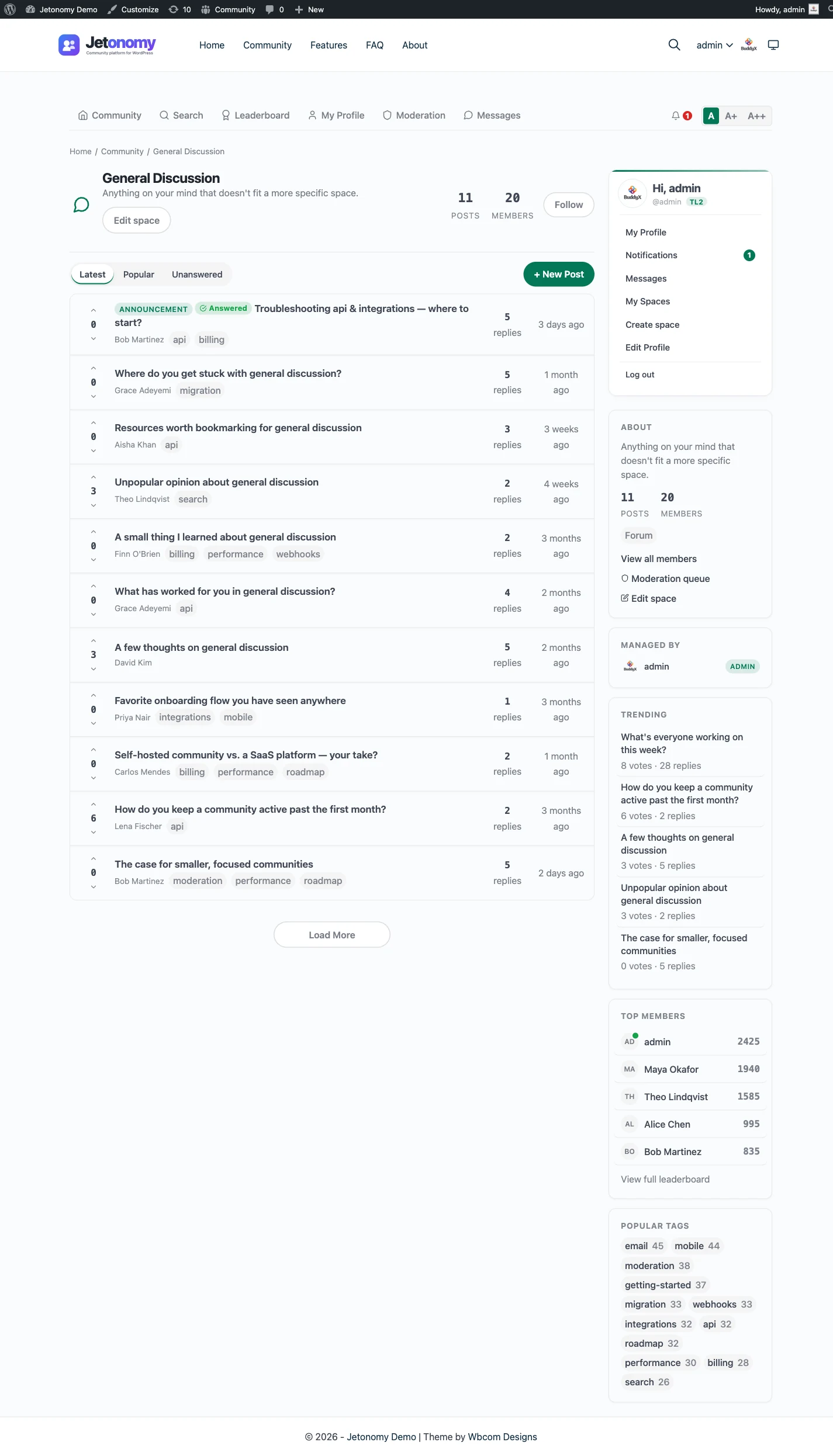
Jetonomy works the other way round. It is a plugin on your WordPress site, and every space, topic and reply is stored in tables in your own database. You back it up with the rest of your site, you can read all of it over the REST API or with WP-CLI, and you can move it to another host whenever you like.
This is not a claim that ProBoards is unreliable. Most hosted boards run well for years. It is about what you hold on the day something goes wrong.
What you take on when you own the forum
A free host does a lot of quiet work for you. When you move to your own site, that work comes with you. Be honest about it before you start.
You need WordPress hosting. Many people already have a WordPress site, and the forum becomes one more part of it. If you do not, you pick a host, install WordPress and set up SSL and backups before you invite anyone.
You apply updates. WordPress, your theme and your plugins all get updates, and someone should apply them, ideally after a backup. For a small forum that is a few minutes a week.
You moderate. That part does not change, because you moderate on ProBoards too. Jetonomy gives you a moderation queue for flagged and held posts, per-space moderators, ban and silence, and trust levels that limit what new accounts can do.
If nobody in your community can look after a WordPress site, stay hosted. A forum you cannot maintain is worse than a forum with ads.
Moving over, and what does not come with you
There is no ProBoards importer. Jetonomy imports from bbPress, wpForo and Asgaros only, and the importer cannot help anyway, because ProBoards gives owners no full export to import from.
So the honest move is a fresh start, with the old board kept as an archive. It sounds like a loss. In practice it is how many boards move, and it forces a clean-up that old boards usually need.
Here is what does not come across:
- Threads and replies, unless you copy the ones that matter by hand.
- Member accounts and passwords. Members sign up again on WordPress.
- Private messages.
- Ranks, badges and custom profile fields.
- Redirects. The old ProBoards address stays where it is.
And here is what you can carry over:
- Your community’s name, rules and category structure.
- Your best evergreen threads, recreated as pinned topics on the new forum.
- Members’ own posts, if they download them with Export Member Data before the move.
- Your theme ideas and custom CSS, as a reference for styling the new site.
The hosted forum going down post walks through what to save today, before any decision to move. The migration guide covers the approach for a manual move.
The fresh-start plan, step by step
This plan keeps the old board readable while the new one grows. Each step is free unless it says Pro.
- Save what you can. Write down every admin login, copy your rules, categories and custom CSS, and ask your most active members to download their own posts with Export Member Data.
- Set up the new home. Install WordPress on a host you control, with SSL and backups, then install Jetonomy and run the setup wizard.
- Rebuild the structure. Create spaces that match your old categories. Most boards need fewer than they had, so merge the quiet ones.
- Seed it. Recreate the five or ten threads people link to most, such as the rules, a welcome thread and the best how-to posts. An empty forum reads as abandoned.
- Announce the move on the old board. Post a notice with the new address and pin it at the top. Where ProBoards allows it, stop new threads in the old categories.
- Keep the archive live. Leave the old board readable. Old threads keep their search value while the new forum builds its own.
- Watch the first month. Reply to every new topic within a day, and invite your most helpful early members to moderate.
The how to add a forum to WordPress guide covers structure, permissions and seeding in more detail.
What it costs to run each
ProBoards is free to start. The extras cost money: ad removal, a custom domain and a URL change all carry fees on its premium features page. Hosting, updates and backups are included, which is real value.
Jetonomy has a free core plugin. You pay for your own WordPress hosting, which you may already have. Pro starts at $69 a year for one site if you want extras such as private messaging, reactions, analytics, email digests or web push. There are no ads to remove and no fee to use your own domain.
The bigger cost is time. On ProBoards you spend it moderating. On your own site you spend it moderating and maintaining. For a forum attached to a site you already run, that extra time is small. For a group with no one technical, it may not be worth it.
More than a classic message board
ProBoards gives you a classic board: categories, threads and replies. That is still the right shape for general discussion, and Jetonomy’s Forum spaces work the same way.
Jetonomy also has other space types for other jobs:
- Q&A spaces give each question its own page, let replies be voted and let one be marked as the accepted answer. Good for a help or support section.
- Ideas spaces add voting and a status roadmap, so members can see what is planned, under way or done.
- Show & Tell spaces work as a feed, for members sharing builds, photos or projects.
Each space is one type, so a general forum, a help desk and a suggestions board can sit side by side in one install. The forum, Q&A and ideas guide helps you pick the right type for each job.
Reputation, a leaderboard and trust levels come with the free plugin. They let regulars earn standing by posting and receiving votes, which gives a community some of the rank culture that long-running boards are known for.
Your data, and your exit
On your own site, your forum’s data is yours in a practical sense. It sits in your WordPress database, on a host you chose. Back it up with the tools you already use for the site.
Members are WordPress users, and WordPress’s own export and erase tools handle personal data requests. Members can delete their own account and data. A request from a member is something you can answer directly.
You can also leave Jetonomy. A developer can read every space, topic and reply over the REST API or with WP-CLI. That is the opposite of the position the ProBoards export leaves you in, and it is the main reason to move.
Search engines and your new forum
Forum threads are often how new members find a community, because they answer specific questions in plain words.
On your own WordPress site, public spaces are ordinary pages on your domain. The free plugin writes QAPage and DiscussionForumPosting structured data, plus breadcrumbs, so search engines can read what each page is. Every new thread adds to your own site’s search presence rather than a platform’s.
Keep your old ProBoards board online while the new one grows. Its threads keep any search value they have, and a pinned notice sends readers to the new home.
What Jetonomy does not do for a ProBoards owner
A hosted service bundles things that a plugin leaves to you. Here is the list, plainly:
- Hosting, backups and uptime are yours or your host’s. Jetonomy does not run servers.
- There is no ProBoards importer, and no automatic way to move threads or members.
- Members, passwords and private messages do not transfer, and no redirects are created.
- There is no live chat, voice or video. Jetonomy is a discussion forum.
- There is no member-made theme library like ProBoards has. The forum follows your WordPress theme, and templates can be overridden from it.
None of that is hidden. It is the honest price of owning the forum.
A family of plugins, if you want more later
Jetonomy is a forum plugin, and a forum-only site is a perfectly good outcome. If your community grows, the same team makes other optional plugins that share one WordPress site and one login.
BuddyNext is the social layer, with profiles, an activity feed and groups. When both are active, the forum adopts BuddyNext’s look and BuddyNext owns the page header and navigation. See the BuddyNext page.
Learnomy is the course plugin. With Jetonomy Pro, a space can be gated by a Learnomy course or membership plan. See the Learnomy page.
You add only what you need. None of them is required.
Other ProBoards alternatives worth a look
If you are leaving a free hosted board, these comparisons are worth reading too:
- phpBB is a free, standalone forum application you host yourself, with a classic board layout.
- SMF is another long-running self-hosted board for people who want a standalone forum.
- bbPress is the simplest forum that lives inside WordPress.
- Discourse is a mature standalone forum, best when you have someone to run its server.
- Facebook Groups is where many small communities go next, and it has the same ownership problem in a different form.
Who should stay on ProBoards
Stay if the forum is small, nobody can look after a WordPress site, and the ads do not bother your members. Stay if what you value most is that someone else handles the servers.
Move if the archive matters to you, if you want your own domain and no platform ads, or if your forum belongs next to a site you already run. If you want to see what a self-hosted forum looks like first, start with the features overview.