

The first thing to know: Jetonomy does not replace your post comments. If you were hoping to swap Disqus for a plugin and keep the same comment box under each article, this is not that plugin, and we would rather say so now than have you find out after installing it.
What Jetonomy does is different, and for some sites it is the better fit. It lets readers start threads in your own community from any post, through an embedded compose box, and it has Q&A spaces for questions that deserve a marked answer. The conversation lives in a community on your own site and not under one article.
This guide explains what that looks like, when it is the right choice, when you should keep native WordPress comments or a comments plugin, and how the two can sit together.
What people usually want from a Disqus alternative
People search for a Disqus alternative for several different reasons, and the right replacement depends on which one is yours.
They want to stop the ads or tracking. A comments plugin that stores comments in your own database, or WordPress’s native comments, solves this. A community plugin is more than you need.
They want to own the comments. Same answer. Your database, your export. Native comments are the simplest route.
They want a lighter page. Native comments are lighter than a third-party embed. A community adds more, not less, so this is not the reason to pick it.
They want readers to talk to each other and ask questions. This is the one a community fits. The comment box under an article is a poor place for a real discussion: it is linear, it dies when the article goes off the front page, and a good question gets buried under reactions. If your readers keep asking things and your replies keep getting lost, you are describing a need for threads, not comments.
They want more engagement and a reason to come back. A community does that better than comments, since members build a history, follow topics and get notified.
Be honest about which group you are in. If it is the first three, close this tab and use native comments, or a comments plugin that suits you. If it is the last two, read on.
What Jetonomy gives you instead
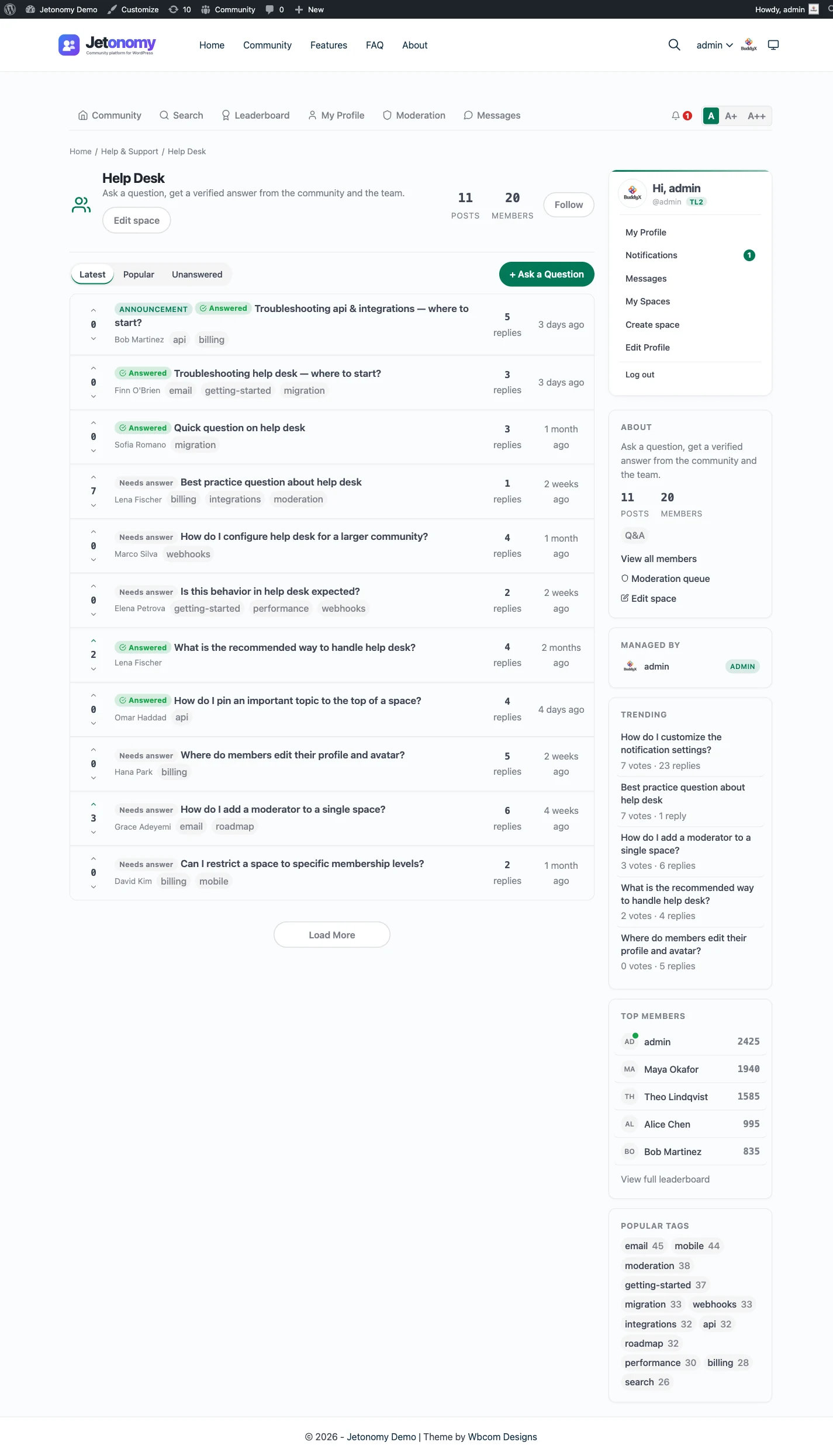
Jetonomy is a community plugin for WordPress. Content lives in spaces, and each space is a forum, a Q&A board, an ideas board or a Show & Tell feed. Members are WordPress users. Your readers can start threads in those spaces, and the threads are real pages with their own URLs, voting and replies.
Here is the piece relevant to a Disqus replacement: the embedded compose box.
The compose box on a post
You can place a “start a topic” box on any WordPress page or post. A reader can begin a discussion without first finding their way into the community. It is available two ways, and both produce the same box:
- the Jetonomy Compose Topic block in the block editor
- the
[jetonomy_compose_topic]shortcode, for the Classic editor, widgets and page builders such as Elementor, Divi, Bricks and WPBakery
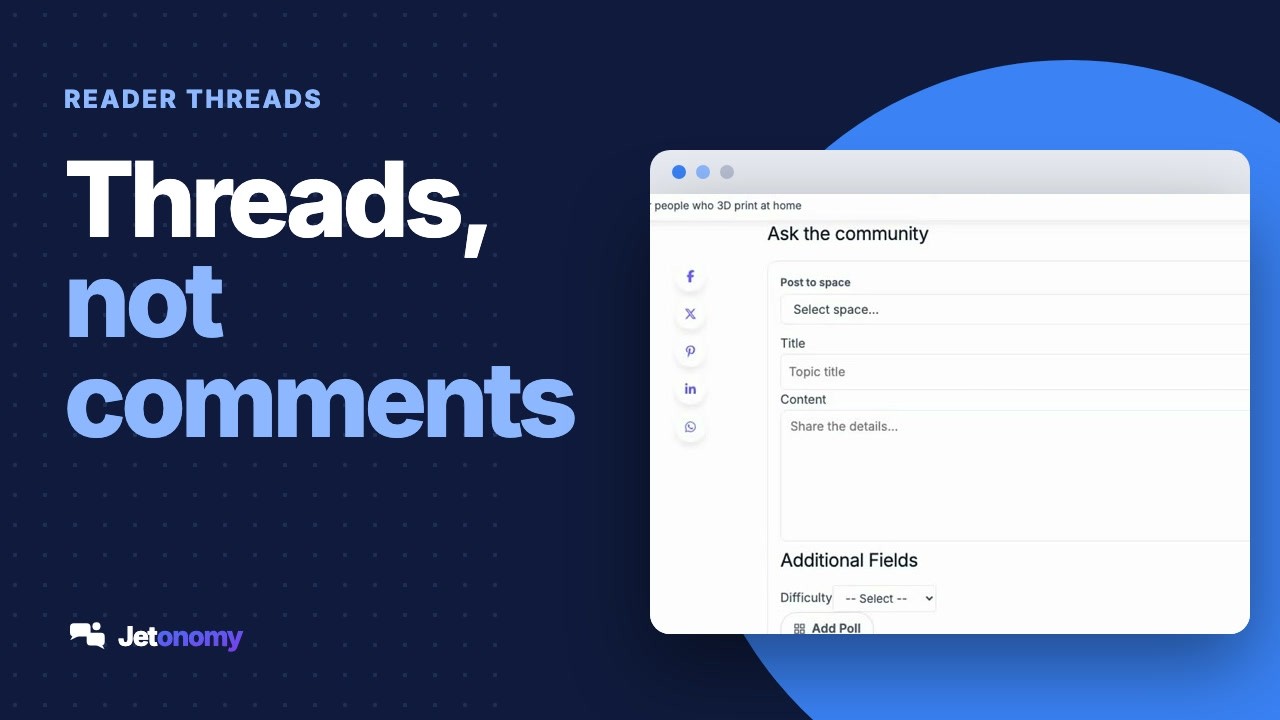
Under an article it might read as an “Ask the community” box. The reader writes a title and the details, picks a space if you let them, and posts. The documentation page for embedding the composer has the full reference.
Picker mode and fixed mode
The box has two modes, set with the mode attribute.
| Mode | What the reader sees | Use it when |
|---|---|---|
| Picker (the default) | A space dropdown, so the reader chooses where the thread goes. Only spaces they are allowed to post in appear. | The post is general and you have several spaces. |
| Fixed | No dropdown. The box is locked to one space, set with space_id. | The post is clearly about one thing, such as a tutorial that should send questions to your Support space. |
An example of each as a shortcode:
[jetonomy_compose_topic mode="picker"]
[jetonomy_compose_topic mode="fixed" space_id="5"]
If you pick fixed mode and the space is missing, or the reader cannot post there, the box falls back to picker mode quietly, so a reader never sees an error.
There is also a types setting. It decides which kinds of thread the box offers, and by default it allows topics, questions and ideas. Remove the ones you do not want on that page. What a reader ends up creating still follows the space they post into, so a thread posted to a Q&A space is a question.
What a signed-out reader sees
If a visitor is not logged in, the box does not show a form. It shows a “Sign in to start a new topic” prompt, and after they log in they return to the same page. That means you can put the box on a public article safely. Nothing can be posted anonymously through it, and there is no form for a bot to submit.
This is a real difference from a classic comment system, where a name and email are enough. Here a reader needs an account. For some sites that is a feature, since it filters drive-by posts and gives you members. For others it is the dealbreaker, and it is the main reason to keep native comments, which we get to below.
Questions that need an answer: the Q&A space
The strongest case for Jetonomy under an article is the reader with a question. A comment box is a bad home for one. The answer, if it comes, sits among the reactions, and the next reader with the same question has to scroll through everything.
A Q&A space handles it differently. A reader asks a question as a thread. Others answer and vote on answers. The asker or a moderator marks one reply as the accepted answer, and it is shown first. The next reader who lands on the thread sees the answer straight away. Over time the space becomes a searchable set of resolved questions. The Q&A with accepted answers page shows how it looks.
To use it from a post: create a Q&A space, then place the compose box on the article in fixed mode with that space’s ID. The box now reads as a place to ask about this article, and the question becomes a thread in your Q&A space. A good fit for tutorials, documentation, product pages and how-to articles, where readers have questions and you want the answers kept.
Tell readers where to look. A line under the box, such as “Answers to earlier questions are in the Q&A space” with a link, saves repeat questions.
When to keep native WordPress comments
Comments are not the old way. They are the right tool for a different job. Keep them, or use a comments plugin, when any of these is true.
You want a quick reaction under an article. A short “thanks, this worked” or a correction is what comments are for. A thread in a community is heavy for that.
Most of your readers will not create an account. A comment box can accept a name and email. A Jetonomy thread needs a login, and many readers will not register to leave a line. If the lowest possible barrier matters, comments win.
The conversation belongs to one post. Some discussions only make sense next to the article. Comments keep the context where it is, and they move with the article if you republish it.
You do not want to run a community. A community needs moderating. Spaces need a purpose, and someone has to look after them. If you have no appetite for that, comments are less to carry.
You are already getting what you need. If your comments are useful and your readers are happy, you have nothing to fix.
If your problem is moderation and spam, a good comments setup helps more than a new platform. WordPress has built-in comment moderation, and plugins extend it. A community brings its own moderation load, so it is not a way to avoid the work.
When Jetonomy is the better answer
Pick the community route when these are true instead.
Your readers have questions, and answers get lost. The accepted-answer model is built for this.
You want readers to talk to each other, not only to you. A comment is a reply to an article. A thread is a place readers return to.
You want a set of topics that grow past any one post. A community can hold discussions that no single article owns, such as “show us your setup” or “feature requests”.
You want members, not just commenters. Accounts, profiles, notifications and reputation give people a reason to come back.
You already run, or plan to run, a community or a membership. The compose box is a doorway into something you are building anyway.
Notice that many sites are in both lists, depending on the content. A news site might want comments on every story and a community for the audience that sticks around. A software company might want comments on its blog and a Q&A space for its documentation. Which brings us to the next point.
How comments and a community sit together
They are independent, so you can run both without conflict. Here are three patterns that work.
Pattern 1: comments on, with a link to the community
Leave the comment area on. Add a short note under the article: “Have a question? Ask it in our Q&A space,” with a link. Readers who want a quick reaction use the comments. Readers with a question go to the community. This costs almost nothing to set up, and you can see how readers behave before you change anything.
Pattern 2: comments on, with a compose box above them
Place the compose box above the comment area on posts where questions are common, in fixed mode pointing at one space. The box invites a real question, the comments handle the rest. Use this on tutorials and documentation.
Pattern 3: comments off, the box instead
On posts where discussion matters more than reaction, turn the comments off in WordPress for that post and use the compose box alone. Everything goes into the community, so nothing is split across two places. This is the pattern closest to replacing Disqus, but it is a per-post choice and not a sitewide swap.
Pattern 1 is where most sites should start. It tests the idea at no cost.
How to try it
Do it on a staging copy of your site first.
- Install the free Jetonomy plugin and run the setup wizard. The guide to adding a forum to WordPress walks the install.
- Create one Q&A space for the questions you expect, and, if you want, a forum space for open discussion. Forum, Q&A or ideas board helps you choose.
- Edit a post. Insert the Jetonomy Compose Topic block, set it to fixed mode and enter the space’s ID. If you use the shortcode instead, paste the fixed-mode example above.
- View the post logged out. You should see the sign-in prompt, and not a form.
- View it logged in as an ordinary member, post a test question and open the thread. Check how it reads and how the answer is marked.
- Mark the answer as the accepted one, then look at the thread as a logged-out reader would. The accepted answer should show first.
- Keep your comments on. Add a line pointing at the Q&A space, and watch a few weeks of real behaviour.
If readers use it, expand. If they do not, you have lost an afternoon and nothing else.
What this does not do
Be clear about the limits so you can decide with the whole picture.
- It does not import Disqus comments. Jetonomy’s importers cover bbPress, wpForo and Asgaros only. Disqus lets you export your comments, and they can stay as ordinary comments.
- It does not turn the comment area of each post into a thread automatically. You place the box where you want one.
- It does not let anonymous visitors post through the box. A reader needs an account.
- It does not show a reader’s thread inside the article’s comment list. The thread lives in the community, and the article points to it.
If you needed one of those, a comments plugin is the correct tool, and we will not pretend otherwise.
Which to choose, in one paragraph
If you want to replace Disqus with something that keeps comments on your own site, use native WordPress comments or a comments plugin. If your readers are asking questions and starting conversations that deserve a longer life than a comment gets, add a Jetonomy community and put a compose box on the posts that attract them. If you cannot decide, start with Pattern 1: keep your comments and link to a Q&A space. It is free to try, it takes an afternoon and it tells you what your readers actually want.
For the bigger picture of building a community on a WordPress site, read how to build an online community on WordPress.