What NodeBB is, and who it suits
NodeBB is open-source forum software written for Node.js. It looks and behaves like a modern web app, and live updates are part of its identity. Check the vendor’s site for its current feature list and whether it offers a hosted plan, since that kind of detail changes.
It suits communities that want a forum with a lively feel and that have someone able to run a Node.js service. That might be a developer community, a game group or a project with its own engineers.
If that describes you, there is a good chance NodeBB is already on your shortlist for good reason.
The real difference: a different stack, or the one you have
The software question is secondary. The first question is what you have to run.
Your WordPress site runs on PHP and MySQL. NodeBB runs on Node.js with its own database. Adding it means a second runtime on a second environment, with its own update routine, its own backups and its own failure modes. When it breaks at night, it is a different thing to debug from your website.
Jetonomy lives on the host you already have. It is a plugin, so it installs and updates from the same screen as everything else, and it stores its data in your WordPress database. Nothing new listens on a port, and nobody needs to learn a new runtime.
Be fair about real-time
This is the honest gap. NodeBB is built to feel live. Jetonomy is not, and it does not try to be.
There is no live chat, no voice and no video in Jetonomy, and no built-in Discord or Slack bridge. Members see new replies when they load a page, and they are told about activity through notifications. Pro adds web push, an email digest and reply by email, which help people come back without keeping a tab open.
So the real question is what your community needs. If people expect posts to appear as they are typed, NodeBB or a chat tool serves them better. If they come to ask a question, get an answer and leave, a live feel adds little and a findable thread adds a lot. The same split applies to any chat tool.
How people come back when the forum is not live
A forum without live updates relies on good prompts. Members get in-app notifications for replies and mentions, and they can join the spaces they care about. Those notifications are free.
Pro adds the channels that reach people outside the site: an email digest, web push and reply by email, so a member can answer a thread without opening a browser. A native iOS app also needs Pro, as the mobile app page explains.
For a community that asks questions and wants answers, this works well. An accepted answer in a Q&A space gives the next visitor a clear result, which matters more than a typing indicator.
For the developer who would have run Node.js
If your team picked NodeBB because it is code you can read and extend, the plugin offers a different kind of control. There is a REST API that covers the whole product, WP-CLI commands for the main objects, and hooks and filters in PHP. Templates can be overridden from your theme.
Everything the forum does can also be driven over the REST API, and there are WP-CLI commands for posts, replies and spaces. That makes scripted housekeeping practical, such as seeding a new space before a launch or tidying up after an event, without clicking through the admin screens one item at a time.
You can also place community pieces on any page with 8 blocks and 8 shortcodes. Pro webhooks send 13 events to other systems and do not retry, so a receiver needs to tolerate a missed delivery. The developer platform page lists the full surface.
What it costs you to run each
NodeBB is open source, so the software costs nothing to start. You still need somewhere to run it, a database for it, someone to apply updates, and a plan for backups. A hosted option from the vendor can take that off your hands, for a fee. Check the vendor’s site for what is offered.
Jetonomy asks for none of that if WordPress is already running. The core plugin is free and Pro starts at $69 a year for one site. Search is MySQL full-text, which is fine for a community-sized forum but not a search engine in its own right.
The skill level differs too. Running Node.js well is a job for a developer or a host that does it for you. Running a plugin is a task for whoever already looks after the site.
One practical note on scale: Jetonomy keeps its data in dedicated indexed tables rather than the posts table, and it uses an external object cache when the host has one. That helps a busy forum, but a very large community should be tested on realistic data first.
Moving over, and what does not come with you
No importer exists for NodeBB. Jetonomy imports from bbPress, wpForo and Asgaros only, and moving from anything else is a manual rebuild or a custom script. A developer can write one against the REST API or WP-CLI, but it is not built in.
Here is what to plan for:
- Pick the discussions worth keeping and rebuild your categories as spaces.
- Choose a space type for each: Forum, Q&A, Ideas or Show & Tell.
- Ask members to join through their WordPress account, since forum accounts do not transfer.
- Expect no redirects from old URLs, so set up your own if search traffic matters.
The migration guide walks through the general route.
What Jetonomy does not do for a NodeBB community
The gaps matter most for an audience that chose NodeBB for its feel.
- There is no live chat, voice or video, and no built-in Discord or Slack bridge.
- New replies appear when a page loads, not as someone types.
- There is no NodeBB importer, and members, passwords and subscriptions do not transfer.
- No redirects are created from old addresses.
- Search is MySQL full-text, not a separate search service.
If any of the first two is central to your community, say so honestly, and pick the tool that does it. If they are nice to have, the single-stack argument may carry the decision.
A staging checklist for a scripted move
A developer can bring content across, as long as the work is planned and tested.
- Export what you need from NodeBB in whatever form it offers. Check the vendor’s documentation for the current options.
- Create WordPress users for the people who will keep posting.
- Write a script against the REST API or WP-CLI that creates spaces, posts and replies, and run it on staging.
- Compare counts and read a sample of threads in every space.
- Build a redirect map for the addresses search engines know.
- Run the real import, keep the old forum read-only for a period and point to the new one.
A normal week, and your data
The week is quiet. Clear the moderation queue, answer questions without an accepted answer and let the plugin update with the rest of the site. The trust levels post explains how members earn freedom, which keeps the queue short.
All data lives in Jetonomy’s tables in your WordPress database. WordPress’s export and erase tools handle personal data requests, and members can delete their own account and data.
When the live conversation needs a home of its own
Some communities want both: a forum for lasting answers and a place to talk in real time. They are different jobs, and one product rarely does both well.
A common arrangement is a Jetonomy forum for threads that deserve to be found, and a separate chat tool for the live talk. The pages on Discord and Slack cover that side, including where they fit better than a forum.
Jetonomy does not bridge to either, so members keep one account in each place. Decide which conversations belong in which, and say so in your community rules.
A first thirty days checklist
- Week one: launch to a small group and watch how they use notifications.
- Week two: turn on one Pro channel, such as the email digest, if people are not coming back.
- Week three: read the unanswered questions and mark the best replies as answers.
- Week four: review the structure, merge quiet spaces and announce the forum more widely.
Where Jetonomy suits a developer community
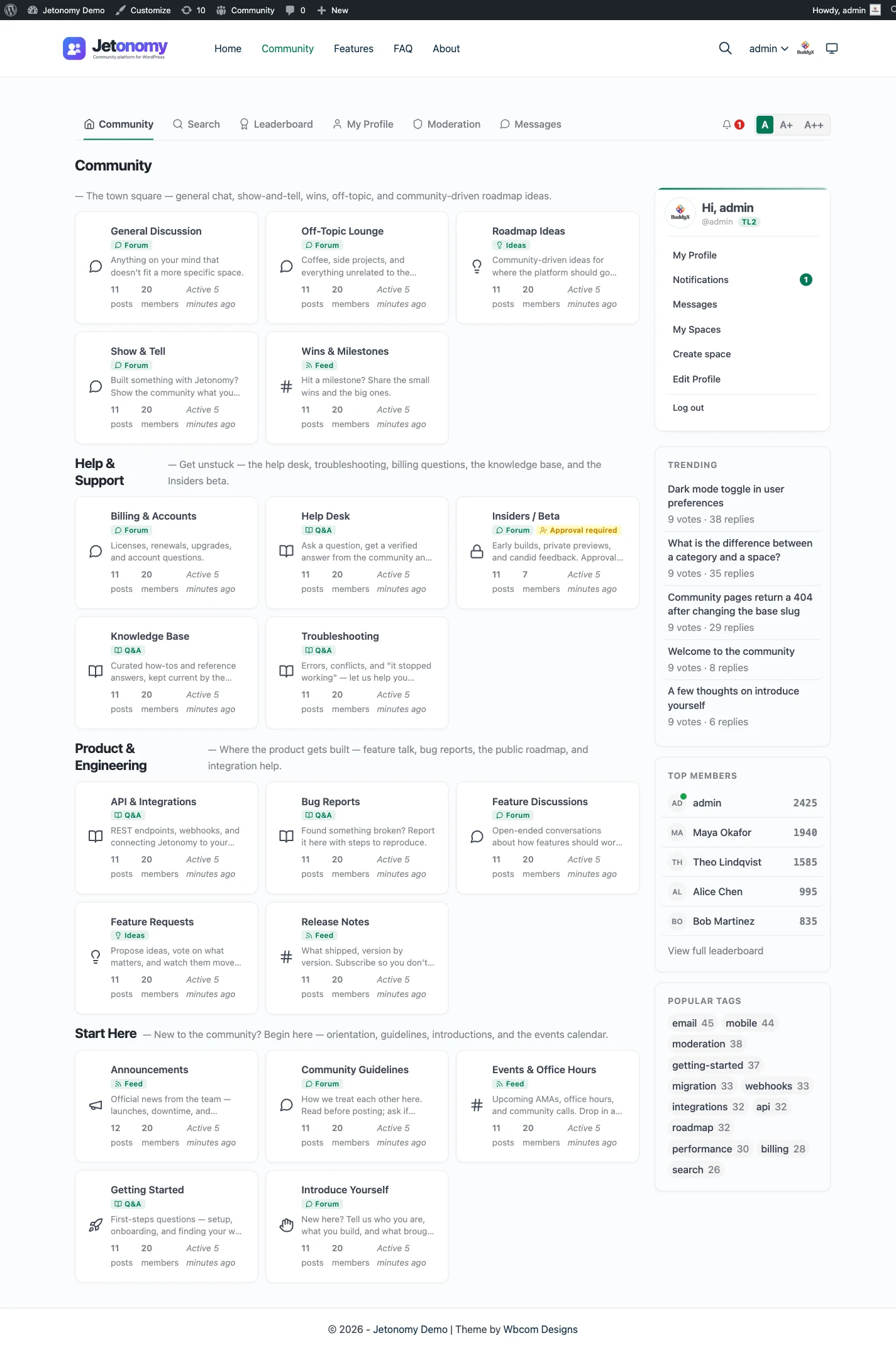
A community of builders often uses a forum for three different jobs, and the four space types map onto them. A Q&A space handles support, with voted answers and one accepted answer, so the fix is easy to find. An Ideas space handles feature requests, with voting and status lanes so people see what is planned and what shipped. A Show and Tell space is a short feed for people to post what they built.
A Forum space stays for the open discussion that fits none of those. Because all four live in one plugin, a member moves between them without a new account or a new design. The ideas and roadmap page shows how the roadmap lanes work.
Profiles can carry more detail with Pro custom fields and custom badges, such as a favourite language or a contributor mark. Reputation and a leaderboard in the free plugin give regulars a visible track record without any extra setup.
Part of a wider WordPress family
Jetonomy is one of several separate, optional plugins from the same team. They run on one WordPress site and share one login, so you add only the pieces you want.
BuddyNext is the social layer: profiles, an activity feed and groups. With both active, the forum adopts BuddyNext’s look and BuddyNext owns the page header and navigation, with nothing to configure. On such a site BuddyNext also owns messaging, so there is one inbox rather than two. See the BuddyNext page. It suits a community that wants profiles and a feed around its discussions.
Learnomy is the LMS plugin. With Jetonomy Pro, a space can be gated by a Learnomy course or membership plan, so enrolling adds the member, expiry removes them, and their posts stay. That keeps a course community in step with its students without manual admin. The Learnomy page has the setup.
Elsewhere in the family, WP Career Board is a job board, Listora a directory, Eventonomy handles events with RSVP and capacity, WPMediaVerse covers member media and WB Gamification adds points and badges. BuddyX Pro and Reign are themes from the same team.
A hosted product folds this into one bill. Here each piece is a separate plugin that you install, host and update. That is more to look after, and also more control over what you run. Nothing in the family is required, so a forum-only site can stay exactly that.
Other NodeBB alternatives worth a look
If you are weighing several options, these are the usual neighbours and when each one wins:
- Discourse is the safer pick for a very large standalone forum with people to run it.
- Flarum is a lean PHP forum app if you want an open-source standalone without Node.js.
- Discord wins when the community wants live talk, voice and a constant presence.
- Slack suits a workplace-style community where chat is the main activity.
- bbPress is the lightest forum that lives inside WordPress.
- Circle is a hosted community platform for anyone who wants it all run for them.
None of these is a universal winner. Jetonomy is the one to choose when WordPress is the home base and you want the forum to share it. Several of the others would serve a community with no WordPress site better, and it is fine to say so.
Who should stay with NodeBB
Stay if live behaviour is part of what members love about the forum. Stay if your team already runs Node.js comfortably, or if you use the hosted option and it works for you.
Stay, as well, if there is no WordPress site to share a login or theme with. In that case the main benefit of Jetonomy does not apply. The features overview shows what Jetonomy does today.