

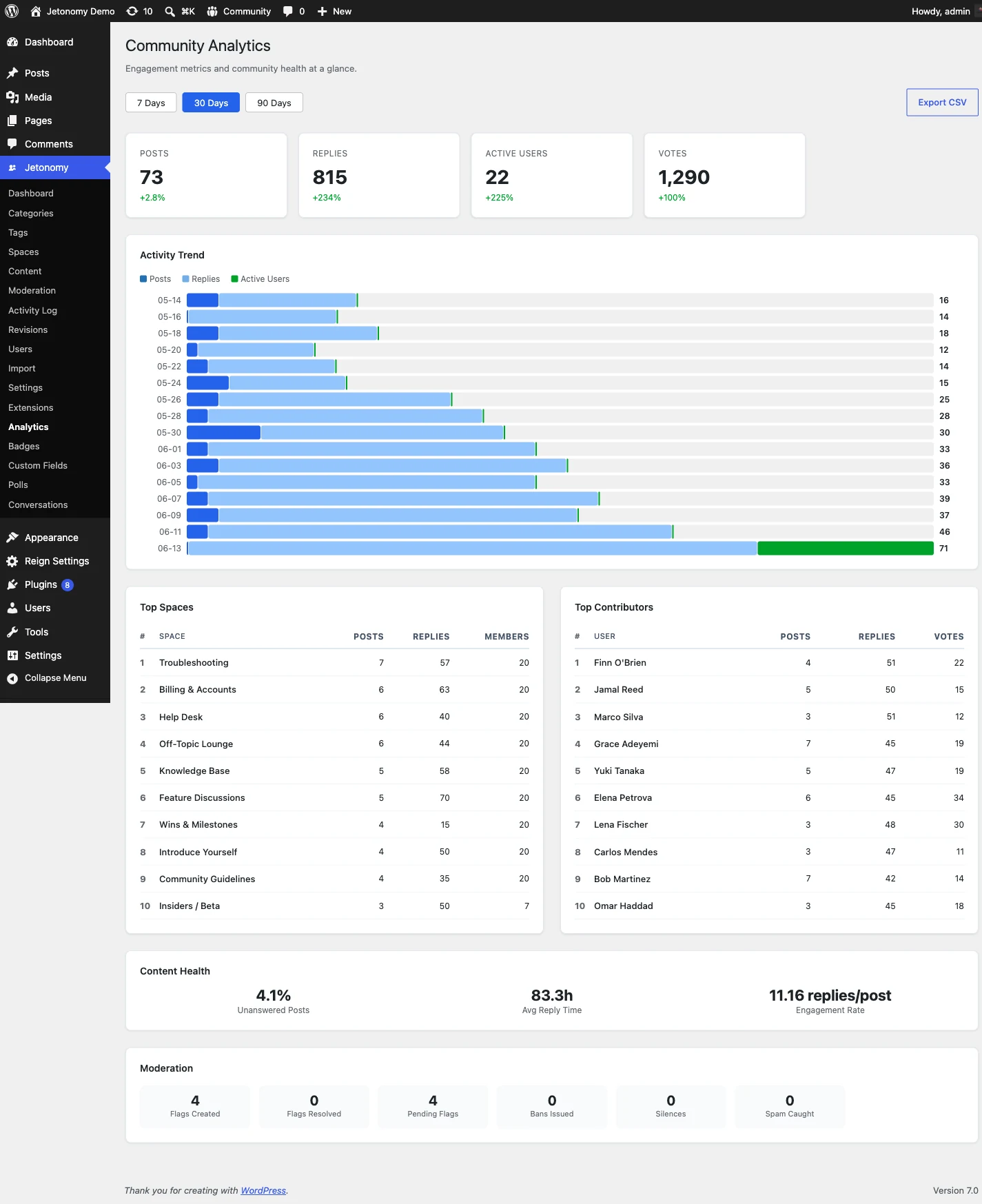
One dashboard for the whole community
You cannot grow what you cannot measure. The analytics dashboard turns raw community activity into metrics you can act on, so you know which spaces need attention, who your power users are, and whether engagement is trending up or down before it becomes a problem.
The top row gives you four headline numbers for whatever range you pick: total posts, total replies, active members, and a growth rate compared to the previous period of the same length. Below them, a line chart plots daily post and reply volume so a spike after a launch or a slump over a quiet month is obvious at a glance. Hover any point for the exact date and count.
The whole dashboard reads from your own database. There is no third-party tracker, no script loaded on your members, and no data shipped off to an external analytics service.
Find what is thriving and who is driving it
Two ranked tables turn the numbers into decisions. Top Spaces sorts your spaces by total activity and shows post count, reply count, unique contributors, and engagement rate, so you can spot the spaces that are thriving and the ones that have gone quiet and need a prompt.
Top Contributors ranks your most active members by total contributions, with avatar, display name, trust level, and a breakdown. Use it to find the members worth inviting into a moderator role, featuring in a spotlight, or simply thanking. An engagement section adds replies per post, vote activity, accepted-answer rate for Q&A spaces, and new member joins, while a moderation section surfaces flag volume and moderator response time.
Pick a range, export the rows
The dashboard opens on the last 30 days, and a date-range picker lets you choose any window. Presets cover last 7, 30, and 90 days, this month, and last month, and the whole page updates the moment you change the range.
When you need the raw data, every table has an Export CSV button. It downloads all rows for the current range, not just the page on screen, with headers that match the on-screen labels exactly. The files open cleanly in Excel, Google Sheets, or any BI tool, so building a board report or a custom chart takes minutes.