

Why small touches matter
Most members never post. Writing a full reply is a high bar, so participation concentrates in a handful of regulars while everyone else reads silently. Reactions and polls lower that bar. They give the quiet majority a way to engage in one tap, and that micro-engagement adds up to richer signal on your best content and members who feel heard.
These are two separate Pro extensions, enabled independently from the Jetonomy Extensions screen, so you can run reactions, polls, or both depending on what your community needs.
Emoji reactions on everything
Once reactions are enabled, every post and every reply shows a reaction strip. Members tap an emoji to react, and each member holds exactly one reaction per piece of content. Tapping a different emoji swaps it, and tapping the same one again clears it. Counts show as chips below the post body, and hovering a chip reveals recent reactors, so a member who would never write a reply still leaves a trace of approval.
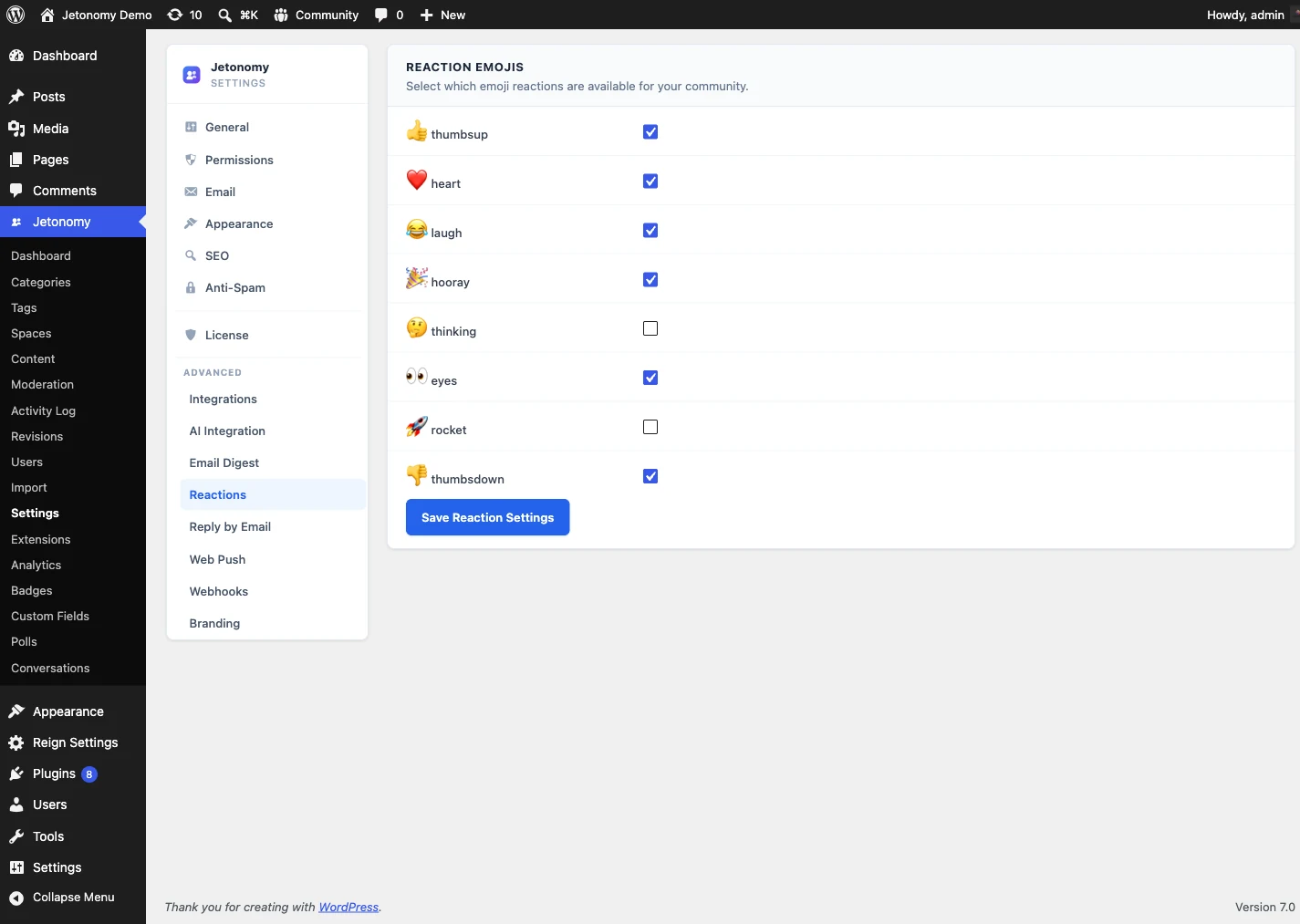
Eight emojis ship enabled by default, covering agreement, enthusiasm, humor, celebration, and more. Because different spaces have different tones, you can toggle individual emojis on or off per space from the space settings. Drop celebrate in a support space, drop dislike in general chat, and the change applies immediately.
Polls that turn questions into decisions
Asking a question in text is passive. Attaching a poll turns it into an action members can take in seconds. From the post composer, add a poll to any top-level topic, write up to 20 options, and choose single choice or multiple choice. Optionally set a close date and the poll stops accepting votes automatically.
Members who have not voted see the options; once they vote, they see live results as horizontal percentage bars with the label, percentage, and raw count, plus the total below. After voting, a member can change their choice or remove it. The topic author and any space moderator can close a poll from its menu, which shows a closed badge and freezes the results while keeping them visible, and the poll can be re-opened the same way. A Polls admin screen lists every poll with its post, type, total votes, and close state, so you can review and close polls without opening each topic.