

A real identity for every member
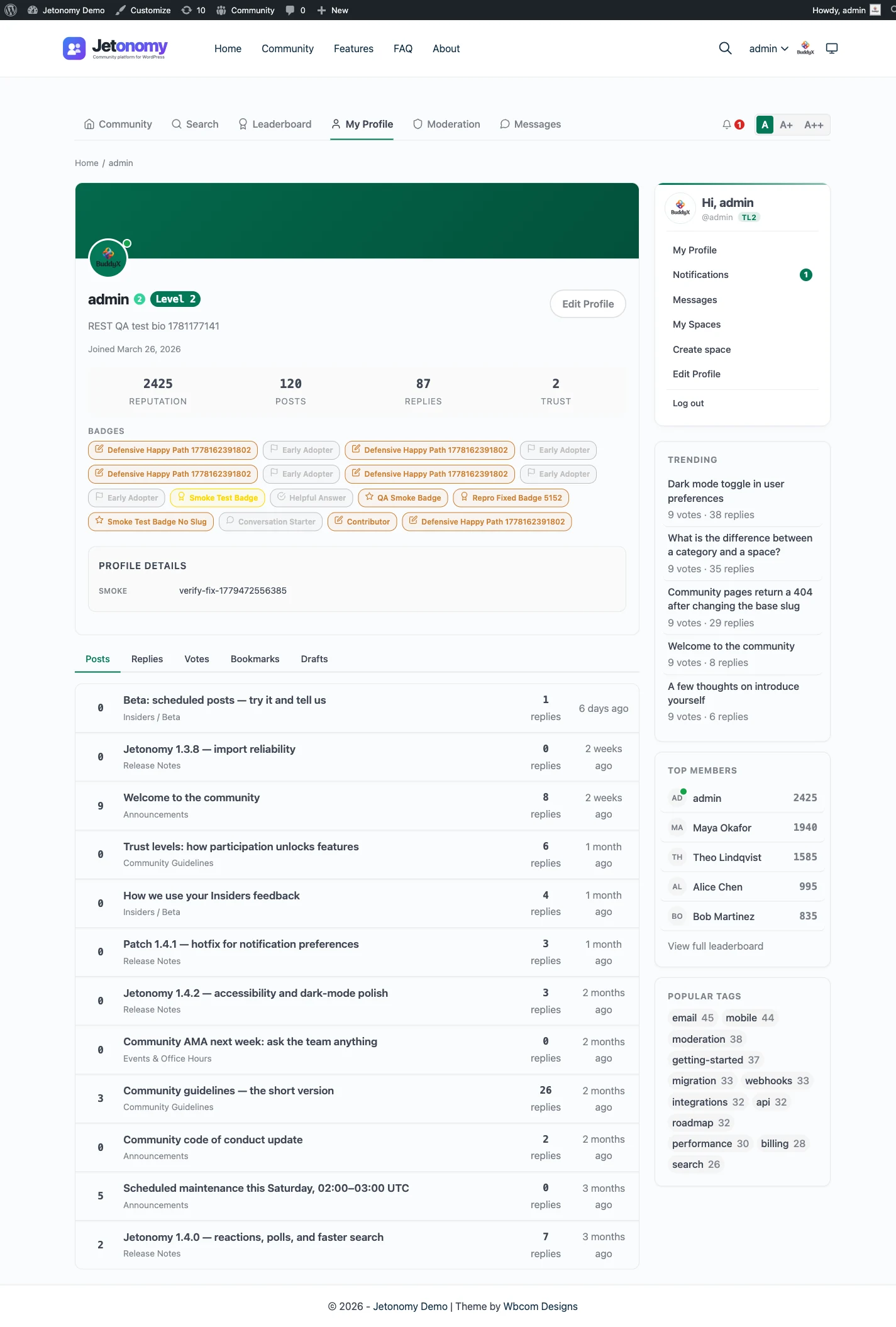
A community is people, not handles. Jetonomy gives every member a public profile page that says who they are and what they have contributed. The header carries their avatar, display name, bio, and join date, plus an online status dot when they have been active recently. It reads like a person, not a row in a database.
Right below sits the stats bar: reputation, posts, replies, and a trust level badge. In one glance you can tell a seasoned contributor from a newcomer, which matters the moment someone reads an answer and wonders whether to trust it. Reputation and trust level travel with every member, so credibility is visible wherever they show up.
Activity members can browse and own
Profiles are not static cards. Tabs list every topic a member has published and every reply they have posted, paginated and sorted newest first, so their contribution history is browsable rather than buried. Each item links straight back to the thread it came from.
Some of that activity is private by design. A member’s drafts, bookmarks, and votes live in tabs that only they, and administrators, can see. A bookmark list is a personal reading queue, an unpublished draft is not ready for eyes, and voting stays semi-private, so members can use these tools freely without exposing them to the whole community.
Members run their own profile
Identity only sticks when members shape it themselves. From the edit page, a member can change their display name and bio, set notification preferences per type, and upload an avatar, with a crop tool to frame a clean square photo or a one-click revert to their Gravatar. Administrators can still edit any profile from the standard WordPress Users screen when they need to.
And you are not limited to the full profile page to surface this. A shortcode renders a compact member card, with name, trust level, bio excerpt, reputation, and post count, anywhere on your site, while another lists a space’s members ranked by reputation. Drop them on a landing or about page so visitors see real people the moment they arrive, which is exactly what turns a faceless forum into somewhere members feel they belong.